 Banana AI
Kling 2.5 Turbo: How to Write Prompts and Animate Your Photos
Learn how to use Kling 2.5 Turbo for image-to-video and text-to-video, with a simple prompt formula and ready-to-paste prompts that produce cleaner motion.
Kling 2.5 Turbo is an AI video model from Kuaishou that turns a text prompt or a still image into a short video clip. To use it, pick the model in an app that offers it, upload a photo or write a scene, then describe one clear action and one camera move. Short, physical prompts tend to give the cleanest motion.
What is Kling 2.5 Turbo?
Kling 2.5 Turbo is a Kuaishou Technology video model that generates clips from text prompts and reference images, according to Segmind’s model page. Segmind positions it for cinematic output with physics-based motion and lists choreographed dancing and intricate physical movement as typical uses.
The model is offered through several platforms. Artlist, for example, lists a “Kling 2.5 Turbo Pro” version by Kuaishou among its video models for creative professionals. Segmind’s page appears to date from around September 2025, which suggests the model arrived around then, though an official release date was not confirmed for this guide.
Two input modes matter for most people:
- Text-to-video: you describe the whole scene and the model invents everything.
- Image-to-video: you supply a reference image and the model animates it.
How do you use Kling 2.5 Turbo for image-to-video?
Upload a photo, choose Kling 2.5 Turbo, and write a prompt that describes only the motion you want. The image already defines the person, outfit, setting and lighting, so repeating those details wastes words and can confuse the model.
In Banana AI, video generation lives in the iOS and Android mobile apps. The web app handles images only. A typical flow looks like this:
- Open the app and choose image-to-video.
- Select Kling 2.5 Turbo as the video model.
- Upload your photo (or a start frame you made first).
- Write one or two sentences: what the subject does, and what the camera does.
- Generate, review, and adjust one variable at a time if the motion is off.
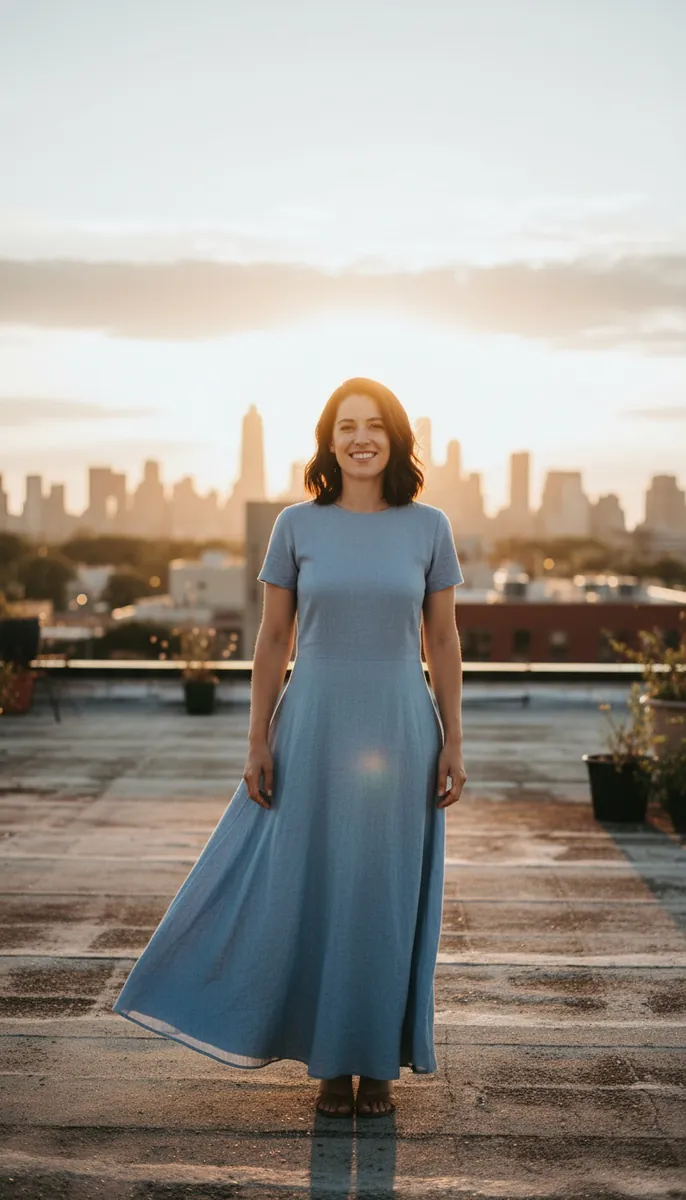
Here is an example of the approach: an image-to-video clip with a single spin and a slow push-in.
 Start frame
Example 1Made with Kling 2.5 Turbo in Banana AI
Golden-hour rooftop spin
She does one slow full spin in place, her hair and dress flowing outward, then faces the camera and smiles. The camera slowly pushes in.
Image-to-video example: one action, one camera move.
Notice how little the motion prompt needs to say. One action (the spin), one secondary detail (hair and fabric moving), and one camera instruction.
How should you write Kling 2.5 Turbo prompts?
Write in this order: subject, action, camera movement, then lighting and style. No vendor prompting guide was found for this article, so treat the following as general practice that suits the motion strengths Segmind describes, not as official rules.
| Part | What to write | Example wording |
|---|---|---|
| Subject | Who or what, briefly (skip for image-to-video) | A woman in a yellow raincoat |
| Action | One physical verb phrase | jumps over a puddle and lands laughing |
| Camera | One move | low tracking shot following her |
| Lighting and style | Mood in a few words | overcast daylight, soft film look |
A few habits make a big difference:
- One main action per clip. Clips are generally short, so there may be little room. Two or three actions often blur together or get skipped.
- Concrete, physical verbs. “Spins,” “leaps,” “brushes snow off her shoulders” give the model something to simulate. “Feels free” does not.
- Name the camera move. Slow push-in, orbit left, handheld follow, static locked-off shot.
- Constraints only if supported. If the platform has a negative prompt field, keep it short, such as “no camera shake, no extra people.”
Kling 2.5 Turbo prompts you can paste
These are starting points. Adjust the details to your idea and keep the structure.
Text-to-video prompts
- A street dancer in a red hoodie performs a smooth backspin on wet pavement at night, slow orbit camera around him, neon reflections, cinematic contrast.
- A golden retriever shakes water off its fur on a beach at sunset, droplets spraying, static low-angle shot, warm backlight.
- A chef tosses vegetables in a flaming wok, flames rising, close handheld shot, warm kitchen light, shallow depth of field.
- An old sailboat cuts through choppy waves under storm clouds, drone shot pulling back slowly, desaturated cinematic grade.
Image-to-video prompts
- She turns toward the camera and smiles, wind lifting her hair, slow push-in.
- He takes a sip of coffee and looks out the window, steam rising, static shot.
- The couple walks forward hand in hand, camera tracks backward in front of them.
- She raises her umbrella as rain starts to fall, gentle orbit to the right.
The same prompt structure works for other video models too, so you can reuse these with Veo 3.1 Fast or Grok Imagine Video in the Banana AI app if you want to compare results.
How do you make a better start frame for image-to-video?
Create or restyle the image first, then animate it. A clean start frame with clear lighting and a readable pose gives the video model a strong base, and it is often easier to fix a still than to fix a finished clip.
In Banana AI you can restyle your photo with an image model such as Nano Banana, Nano Banana Pro or GPT Image 2, then send the result to video. The same kind of edit prompt also works in ChatGPT or Gemini if you already use those. For more prompt wording ideas for stills, see these ChatGPT image prompt templates.
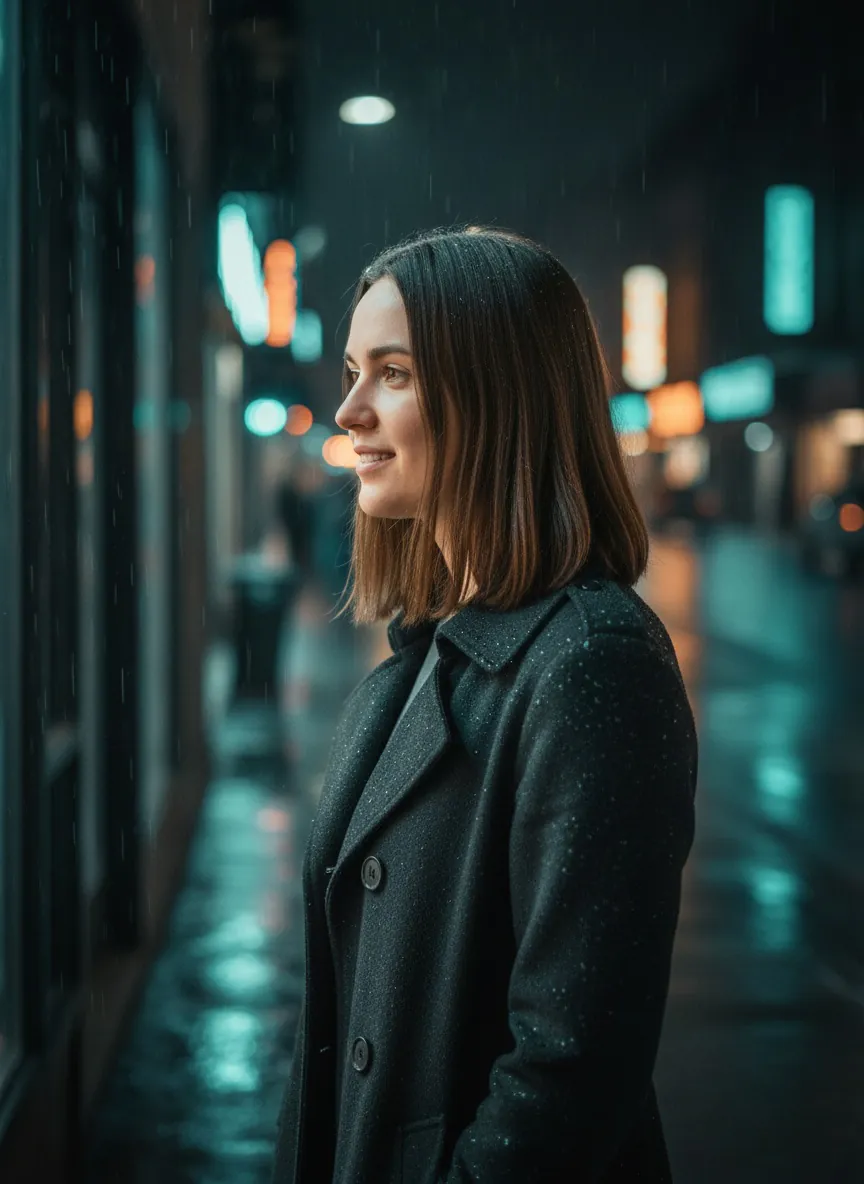
This start frame was made from an everyday phone photo, keeping the face unchanged and moving the scene to a rainy city street at night.
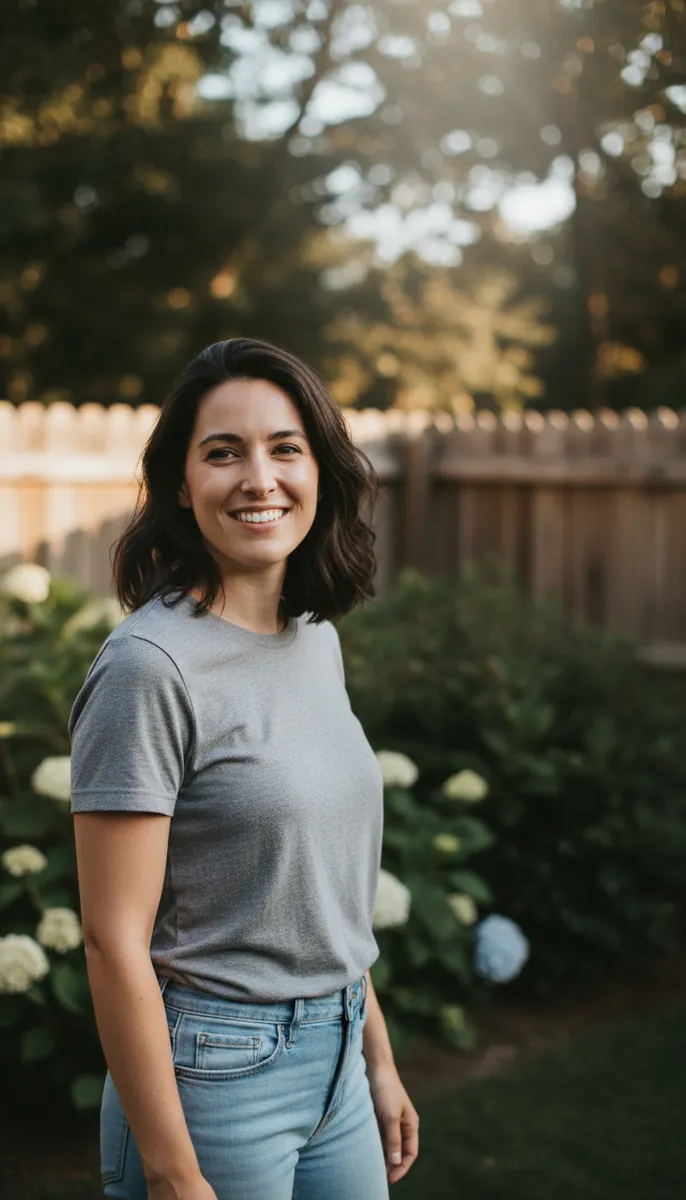 Input photo
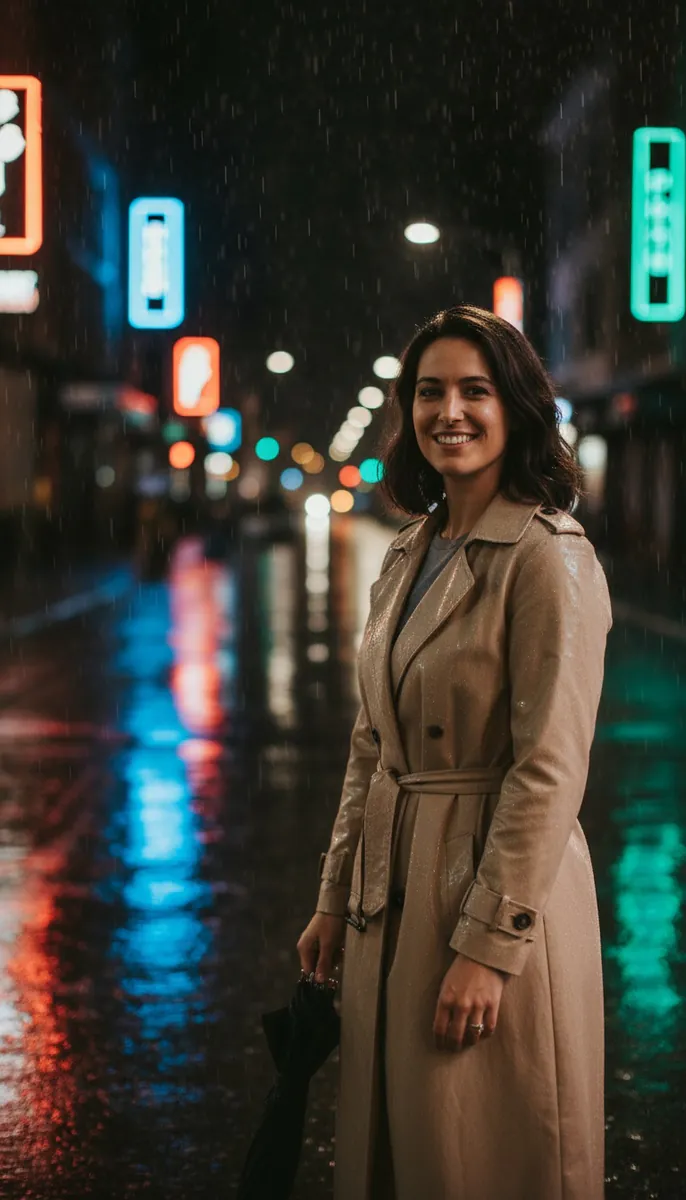 Result
Example 2Made with Nano Banana in Banana AI
Rainy neon street start frame
Place the person in this photo on a rainy city street at night, keeping her face and identity unchanged. She wears a long beige trench coat and holds a closed black umbrella at her side. Wet pavement reflects colorful neon signs with no readable text. Soft rim light from the signs, light rain visible in the air, cinematic 35mm look, medium shot at eye level, shallow depth of field.
A restyled still like this makes a clean start frame for a Kling 2.5 Turbo image-to-video clip.
A frame like this sets up an easy, believable motion: lifting the umbrella, turning the head, or a slow camera drift past the neon signs. If you want social-ready stills from the same photo before animating, the AI Instagram photo generator presets are a quick way to get there.
What about start and end frames?
If you want control over where the clip finishes, use a start and end frame video. You supply two images and the model fills the motion between them. This works well for reveals, outfit changes, or moving a subject from one spot to another. The Banana AI mobile app supports start and end frame videos alongside standard image-to-video and text-to-video.
What specs for Kling 2.5 Turbo are still unconfirmed?
Several details could not be verified from the sources available for this guide, so check the platform you use before planning around them:
- Exact release date (probably around September 2025, per the age of Segmind’s page).
- Maximum clip length, resolution and supported aspect ratios across platforms.
- How “Turbo” differs from “Turbo Pro.”
- How it compares with other Kling versions such as 2.1 or 2.6.
Segmind’s page mentions a generation time of roughly 140 seconds but does not say which clip settings that figure applies to, so treat it as a rough indication only.
Common fixes when the motion looks wrong
- Subject barely moves: use a stronger verb and remove style words that compete with the action.
- Face drifts or changes: shorten the clip, simplify the action, and start from a sharper, front-lit photo.
- Camera is chaotic: specify one move, or ask for a static shot.
- Extra limbs or objects appear: reduce the number of actions and keep hands out of complex poses in the start frame.
What we noticed testing these prompts
- Both Nano Banana start frames worked on the first try (1 attempt each, nothing rejected). The prompts told the model to keep her face and identity unchanged while placing her in a new setting, and the results show a smiling woman in the requested outfit and scene.
- The Kling 2.5 Turbo clip (5 seconds) has no rejected attempts logged. The log does not give an attempt count for it, so we can’t say it worked on the first try.
- No retries or rejections appear anywhere in this log, so it gives no evidence about what fails or why. Any advice on fixing failed attempts would go beyond what the log shows.
- The Kling prompt was short and described one action: a slow full spin with hair and dress flowing, then facing the camera and smiling, with a slow push in. The reviewed result shows a spinning woman in a blue dress on the golden-hour rooftop with the camera moving closer.
Banana AI
Make videos like these from your own photo
Banana AI turns a photo into a video with Kling, Veo and Grok Imagine, swaps you into any clip with Main Character, and has one-tap effects like Vanish, Clones and Earth Zoom.
4.8 on the App Store from 180 ratings
FAQ
What is Kling 2.5 Turbo?
+
Kling 2.5 Turbo is an AI video model from Kuaishou that creates short clips from text prompts or reference images. Third-party platforms such as Segmind and Artlist offer it, and Segmind describes it as suited to physics-based motion such as choreographed dancing.
How do I write a good Kling 2.5 Turbo prompt?
+
Use the order subject, action, camera movement, then lighting and style. Keep one main action per clip and use concrete physical verbs. For image-to-video, skip the subject description and describe only the motion.
Can Kling 2.5 Turbo do image-to-video?
+
Yes. It accepts a reference image and animates it based on your prompt. In Banana AI you can do this in the iOS and Android apps, which also support text-to-video and start and end frame videos.
Can I use Kling 2.5 Turbo on the Banana AI website?
+
No. Video generation in Banana AI is only available in the iOS and Android apps. The web app at app.getbanana.ai covers image generation and photo editing.
What is the difference between Kling 2.5 Turbo and Kling 2.5 Turbo Pro?
+
The sources for this guide do not explain the difference, so it is not confirmed here. Artlist lists a Turbo Pro version, and the Banana AI mobile app offers Kling 2.5 Turbo. Check each platform's model page for its exact options.