 Banana AI
Gemini AI Photo Prompt Guide: How to Write Nano Banana Prompts That Look Real
Write a Gemini AI photo prompt that looks real: a simple formula, copy-ready Nano Banana prompts for editing, selfies and portraits, and tips that help.
A Gemini AI photo prompt is a text instruction you give Google’s Nano Banana image models to create or edit a picture. To make one, upload a photo (or start from text), then describe the subject, setting, lighting and camera feel in plain, scene-driven sentences. Ask for one change at a time and refine from there.
What is a Gemini AI photo prompt?
It is a plain-language description that tells Gemini’s built-in image model what to generate or change. “Nano Banana” is the nickname for Google’s Gemini native image models. According to Filmora, the original Nano Banana is the Gemini 2.5 Flash Image model, launched in August 2025. Google’s AI Studio now lists Gemini 3.1 Flash Image as Nano Banana 2, and Google has published prompt tips for Nano Banana Pro.
All of these accept text, and Google’s API documentation shows that you can send text and images together in one request. That is why the same prompt style works for creating a new image and for editing a photo you upload.
How do you write a Gemini photo prompt that looks realistic?
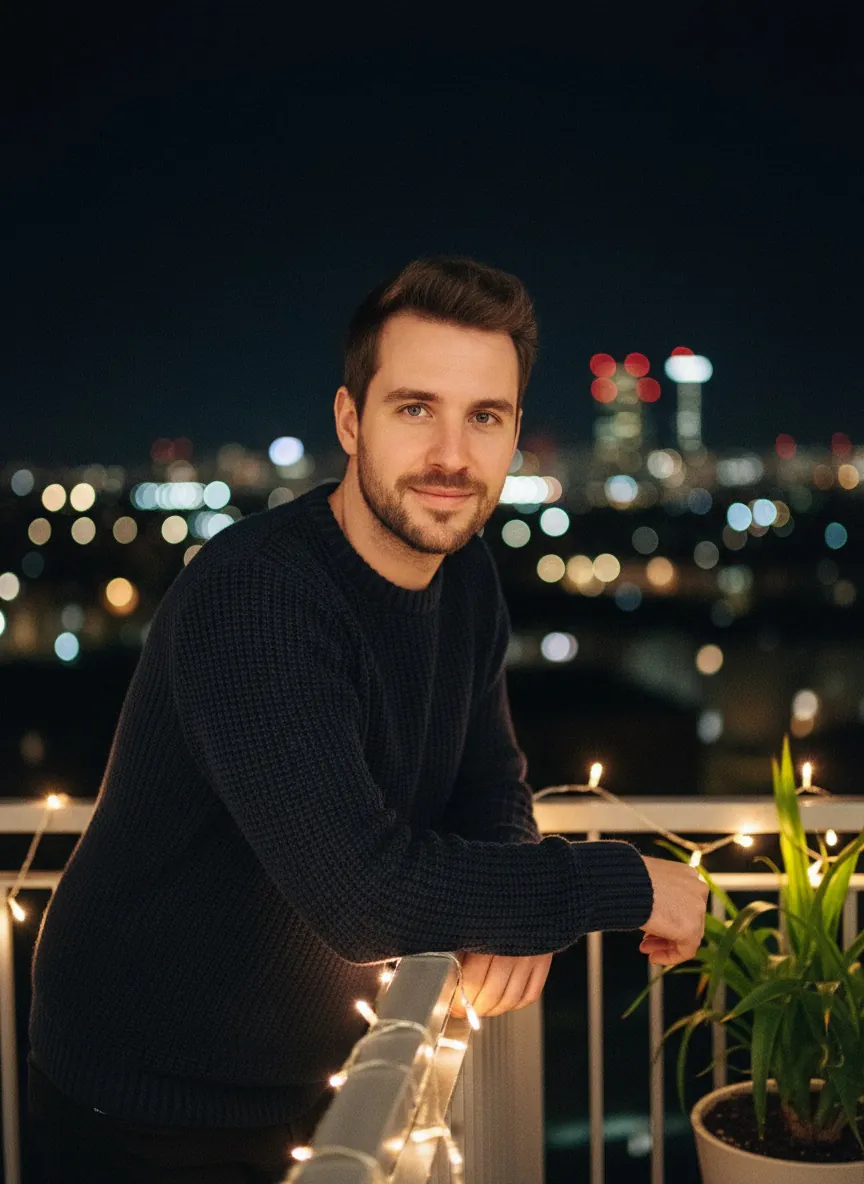
Describe a real moment rather than listing keywords. Community advice quoted by GrowthJockey is to “Keep it descriptive and scene-driven,” with an example of a candid balcony photo at night under string lights with a cozy vibe.
A simple formula that covers most realistic photo prompts:
- Subject: who is in the photo, what they wear, their expression.
- Setting: where they are and what is around them.
- Lighting: time of day, light direction, mood.
- Camera feel: lens, depth of field, grain, where the focus sits.
The camera details matter because they are concrete. A black-and-white portrait prompt collection from 121clicks leans on phrases like “35mm film feel,” “shallow depth of field,” “natural film grain” and “sharp details on the eyes.” These give the model specific visual targets instead of vague praise.
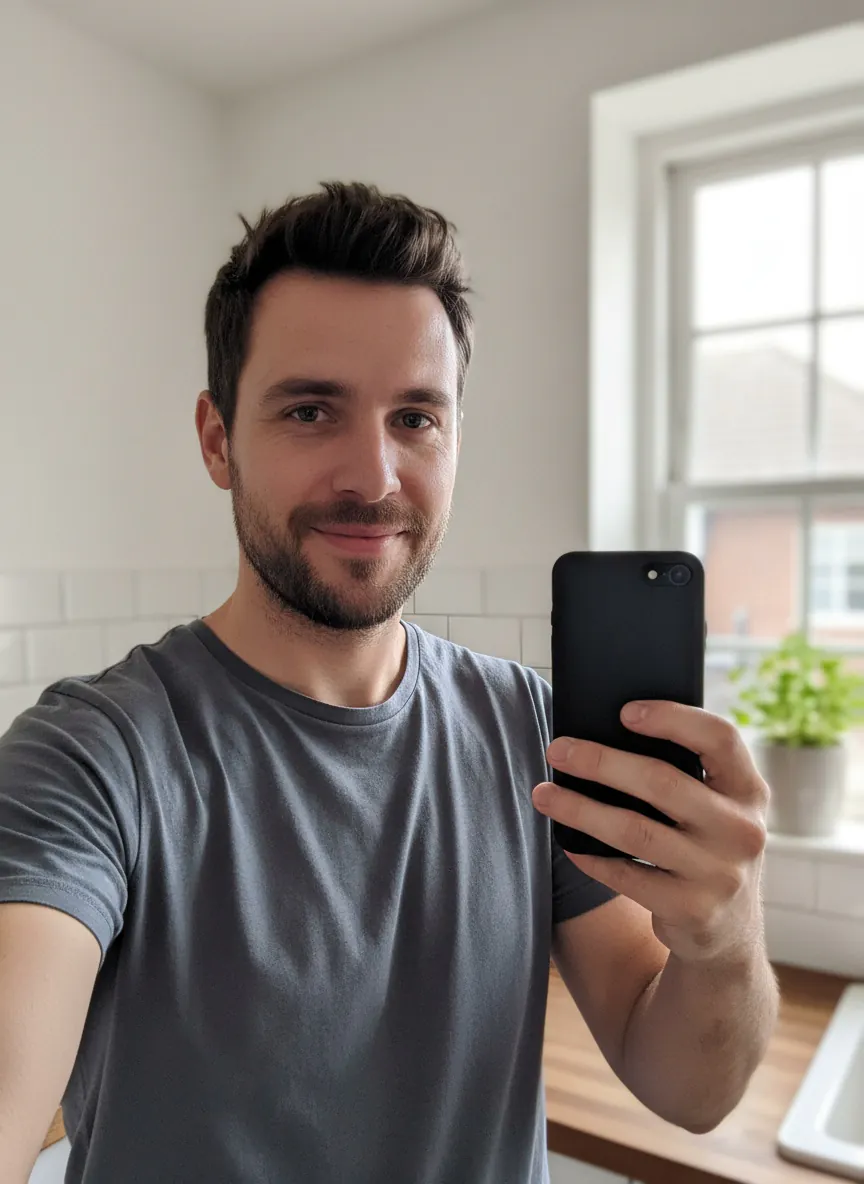
Here is the formula applied to an uploaded selfie, turning a kitchen snapshot into the balcony scene the community example describes:
 Input photo
 Result
Example 1Made with Nano Banana in Banana AI
Candid balcony night portrait
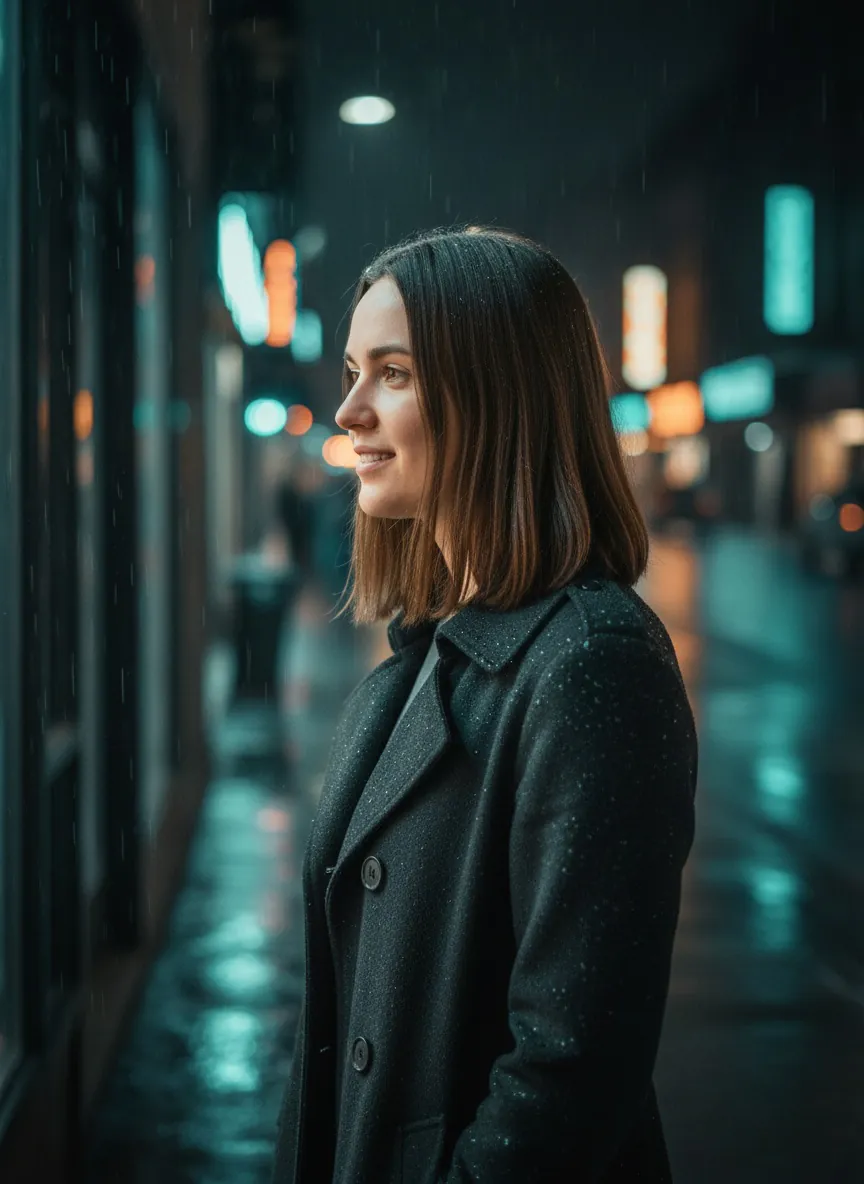
Transform this photo into a candid night portrait of the person in this photo, keeping his face and identity unchanged. He leans on a small apartment balcony railing at night, wearing a dark knit sweater, warm string lights glowing behind him, city lights softly blurred in the distance. Cozy, relaxed mood, slight smile. Shot on a 35mm lens, shallow depth of field, natural film grain, sharp details on the eyes.
A scene-driven edit: setting, lighting and camera feel described like a real moment.
Notice the prompt asks to keep the face and identity unchanged. Filmora says the model preserves the original subject, but results are not guaranteed to be a perfect likeness, so stating it in the prompt is a sensible habit.
Black-and-white portraits
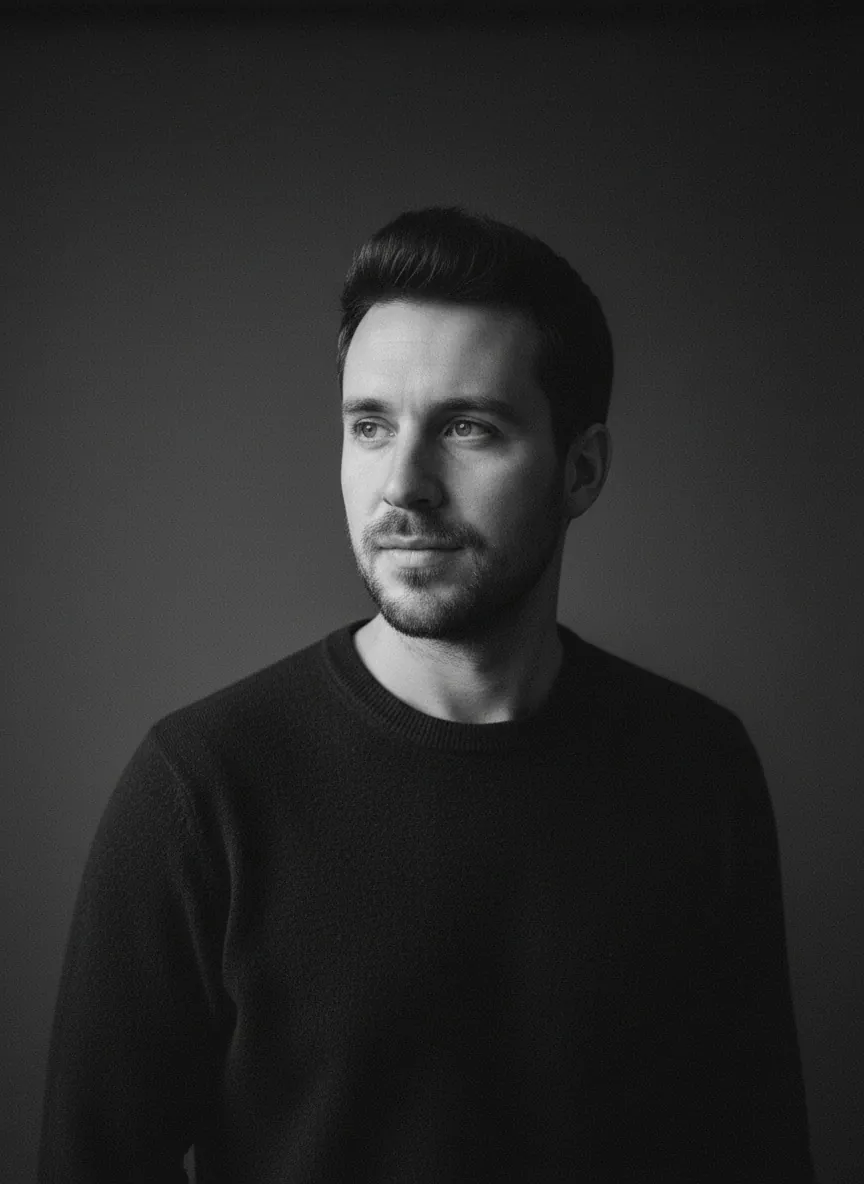
Monochrome portraits show off the camera-feel part of the formula well. Keep the background simple and name a single light source.
Input photo
 Result
Example 2Made with Nano Banana in Banana AI
Black-and-white film portrait
Turn this photo into a black-and-white studio portrait of the person in this photo, keeping his face and identity unchanged. He wears a dark crew-neck sweater against a plain charcoal backdrop, head turned slightly toward a single soft window light from the left. 35mm film feel, deep shadows, natural film grain, shallow depth of field, sharp details on the eyes, quiet and thoughtful mood.
One light source and concrete film terms give a clean monochrome portrait.
Realistic photos from text only
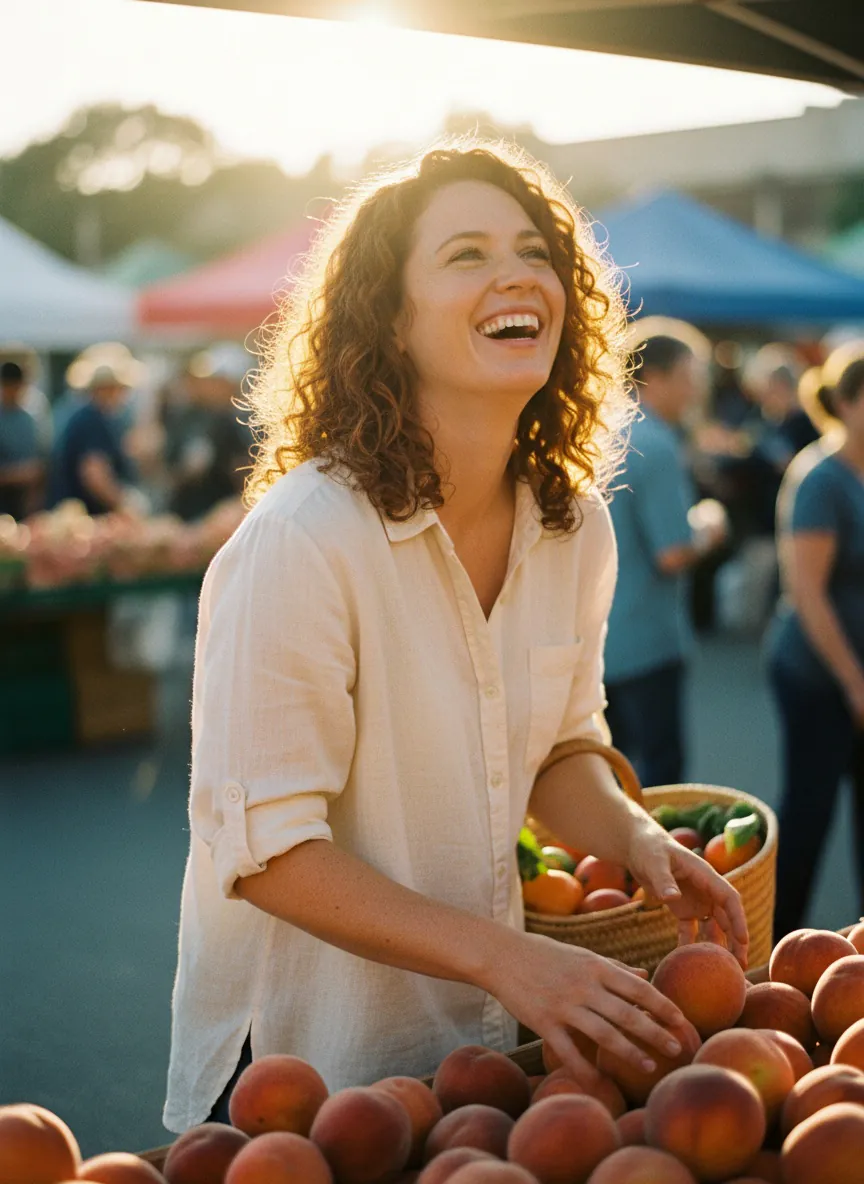
You do not need an input photo. For a text-to-image prompt, invent the person in full detail, since the model has nothing else to go on.
 AI image
Example 4Made with Nano Banana in Banana AI
Golden-hour market portrait from text
A realistic candid photo of a woman in her late twenties with curly auburn hair, laughing while choosing peaches at an outdoor farmers market in late afternoon. She wears a cream linen shirt and holds a woven basket. Warm golden-hour sunlight from behind, soft rim light on her hair, blurred stalls in the background. Shot on a 50mm lens, shallow depth of field, natural film grain, true-to-life skin texture.
A text-only prompt that follows the subject, setting, lighting and camera formula.
What are good Nano Banana prompts for photo editing?
The best editing prompts name one clear change in plain language. Examples from Filmora and Google include “Transform the image into a soft, expressive watercolor painting” (Filmora) and simply “Focus on the flowers” (Google).
Common edit types and how to phrase them:
| Goal | What to say | Example phrase |
|---|---|---|
| Change the style | Name the medium and its texture | ”soft watercolor on textured paper” |
| Change the focus | Name what should be sharp | ”Focus on the flowers” |
| Change the setting | Describe the new place and light | ”on a balcony at night under string lights” |
| Change the format | Give the aspect ratio | ”reframe as a vertical 9:16 image” |
| Combine images | Say how to arrange them and the output format | ”one cinematic image in 16:9” |
Google’s tips also show aspect-ratio changes as a way to adapt one image for different platforms, which is handy when the same photo needs to work as a post, a story and a banner.
A style transfer with the identity instruction included:
Input photo
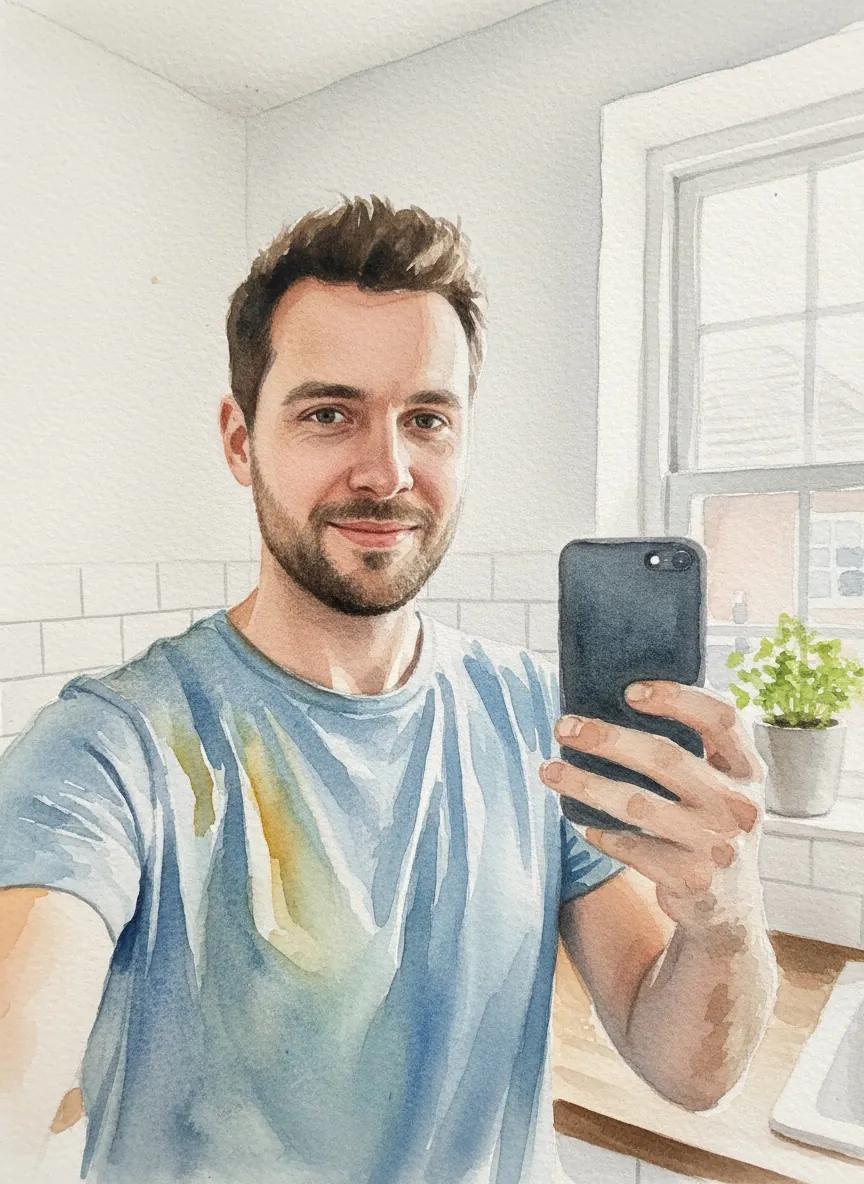 Result
Example 3Made with Nano Banana in Banana AI
Watercolor painting edit
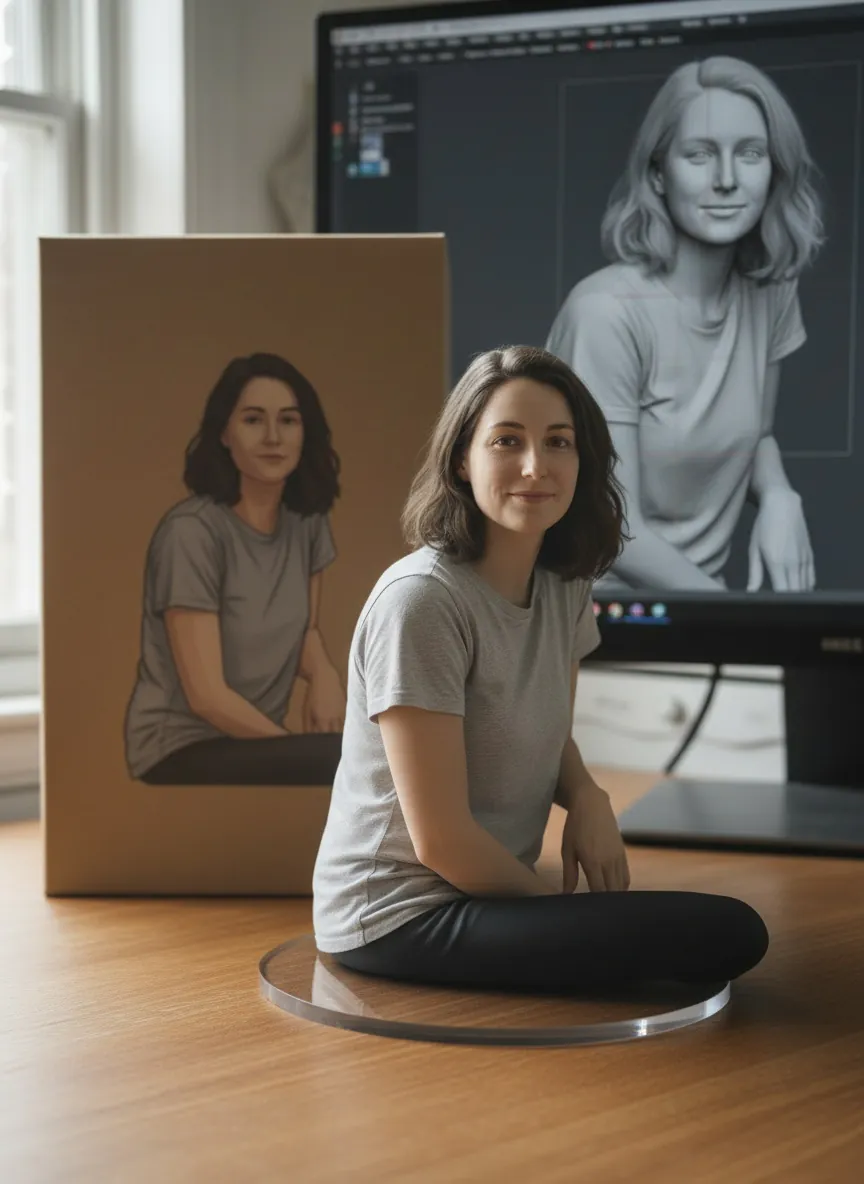
Transform this photo into a soft, expressive watercolor painting while keeping the face and identity of the person in this photo unchanged. Keep the kitchen window setting and gray t-shirt, but render them in loose washes of blue, ochre and soft green on textured cold-press paper, with visible brush strokes, gentle color bleeds and white paper showing at the edges.
A single style change, with the medium and paper texture named.
How do you combine several photos in one prompt?
Upload all the images, then say exactly how they should be combined and what the final format is. Google’s example reads: “Combine these images into one appropriately arranged cinematic image in 16:9 format,” while also swapping the dress for one from another uploaded image (Google).
Tips for multi-image prompts:
- Refer to each image by role (“the person from the first photo,” “the jacket from the second photo”).
- State the aspect ratio and the overall look you want.
- Keep the number of changes small so you can see what each image contributed.
Google’s post also shows a logo being extended into brand mockups such as ads and billboards, generated one at a time. That suggests a useful general rule: make one change per prompt, check the result, then ask for the next change.
What are some AI selfie prompt ideas?
Most AI selfie prompts are edits of a real selfie into a new scene or style. Popular directions, all of which fit the formula above:
- Night city candid: balcony or rooftop, warm string lights, 35mm feel.
- Studio black-and-white: plain backdrop, one window light, film grain.
- Golden-hour outdoor: backlit hair, blurred trees, 50mm lens.
- Painted portrait: watercolor, oil or charcoal on paper.
- Retro photo looks: Polaroid, 90s flash, or yearbook styling.
AI selfie prompts for men
For men, the same structure works; in our suggestion the main levers are wardrobe and lighting. Try a dark knit sweater with soft side light for a moody portrait, a tailored jacket on a city street at dusk for a sharper look, or a flannel shirt outdoors in morning light for something relaxed. Mention grooming details you want kept, such as “keep the beard as it is,” so the model does not change them.
If you want to copy a specific viral look, our guide to Nano Banana trending prompts breaks down the current styles. For profile pictures, the AI dating app photo generator offers preset styles so you do not have to write a prompt from scratch.
Do words like “8K” and “hyper-realistic” improve image quality?
There is no evidence they do. Terms like “8K” and “hyper-realistic” show up often in community prompt lists, but none of the sources here show they change output quality. Nano Banana prompts to enhance image quality work better when they describe the visible result: sharp eyes, natural skin texture, soft directional light, fine film grain. If an image looks flat, adjust the lighting or lens description before adding more adjectives.
What does Google recommend for Nano Banana Pro prompts?
Google’s own Nano Banana Pro prompt tips focus on direct, specific instructions: shift focus to a named object, change the aspect ratio for different platforms, combine multiple images into one composed shot, and build variations one at a time. For realism with Pro, the same advice applies as with the other Nano Banana models: describe the scene like a photographer would and change one thing per turn.
Where can you run these Gemini AI photo prompts?
You can paste these prompts into Google Gemini directly. If you use other image tools, see our ChatGPT image prompt templates, and expect results to differ between models.
Banana AI is another option if you want to switch between Google’s models in one place. The web app at app.getbanana.ai offers Nano Banana Standard (Gemini 2.5 Flash Image), Nano Banana 2 and Nano Banana Pro, plus Grok Imagine from xAI. You can edit an uploaded photo with a text prompt using up to 8 reference images, which suits multi-image prompts. Web plans start at $19/month with credits, and there is no free tier on the web. The iOS and Android apps include the same image models plus GPT Image 2, and add video features that are not on the web.
Whichever tool you use, the workflow is the same: start with a clear photo, write a scene-driven prompt, ask the model to keep the face unchanged, and refine one detail at a time.
What we noticed testing these prompts
- All four prompts worked on the first attempt in Nano Banana, and the log shows no rejected attempts, so none of these examples needed a retry.
- The three photo-edit prompts (night balcony, black-and-white studio, watercolor) each opened with a transform instruction and said to keep the face and identity unchanged. The results kept the same kind of subject, such as a smiling man, a bearded man, and a bearded man in a blue t-shirt.
- Specific details in the prompts showed up in the results: a dark knit sweater with string lights on the balcony, a dark crew-neck sweater against a charcoal backdrop, and a kitchen window with a potted herb in the watercolor.
- The text-only prompt also worked on the first try. Describing the hair, the activity, the setting, and the time of day gave a laughing woman with curly auburn hair picking peaches at a sunlit farmers market.
Banana AI
Try these prompts in the Banana AI app
Upload a selfie, paste any prompt from this guide and pick Nano Banana, GPT Image or Grok. The app also turns your photos into AI videos and viral effects.
On a computer? Use Banana AI in your browser →
4.8 on the App Store from 180 ratings
FAQ
What is the best Gemini AI photo prompt for realistic results?
+
There is no single best prompt, but realistic results usually come from describing the subject, setting, lighting and camera feel in full sentences. Phrases like "35mm film feel," "shallow depth of field" and "sharp details on the eyes" give the model concrete targets.
Is Nano Banana the same as Gemini?
+
Nano Banana is the nickname for Google's Gemini native image models, which generate and edit images inside Gemini. Google's AI Studio lists Gemini 3.1 Flash Image as Nano Banana 2, and there is also a Nano Banana Pro.
Will Gemini keep my face the same when editing a selfie?
+
Filmora says the model preserves the original subject, but a perfect likeness is not guaranteed. Saying "keep the face and identity unchanged" in your prompt and making one change at a time helps.
Do these Nano Banana prompts work in ChatGPT?
+
The research behind this guide did not test ChatGPT. Plain-language scene prompts are model-agnostic in style, but ChatGPT uses a different model, so results will differ and you should test them yourself.
How do I edit a photo with multiple reference images?
+
Upload all the images, describe the role of each one, and state the output format and aspect ratio, for example one cinematic image in 16:9. Banana AI's web app accepts up to 8 reference images for an edit.