 Banana AI
AI Halloween Photo Prompts: Copy-Paste Ideas and a Formula That Works
Copy-paste AI Halloween photo prompts for men, women, and couples, plus a simple formula that helps keep your face recognizable in Gemini, ChatGPT, or Banana AI.
AI Halloween photo prompts are text instructions that turn a regular selfie into a costume portrait, like a vampire, witch, or masked party guest. To make one, upload a clear photo to an AI image editor, ask it to keep your face unchanged, then describe the costume, setting, lighting, framing, and mood in concrete detail.
This guide gives you a reusable formula, original prompt ideas that follow it, a copy-paste prompt for men, women, and couples, and fixes for when the result doesn’t look like you. Three of the examples are edits of an uploaded photo; the masquerade example is text-to-image, and a couples edit prompt follows it.
What makes a good AI Halloween photo prompt?
A good prompt names specific physical details instead of vague themes. Makeaiphotos breaks it into four parts: the costume described physically (not a copyrighted character name), the lighting, the camera framing, and the mood, such as “eerie but not graphic.”
The other piece most guides add is a face-preservation line. Blendnow, which lists 49 ideas, repeatedly tells the model to keep the face and facial structure unchanged, and Slayedai builds its 15 Gemini and ChatGPT prompts around keeping your face too.
How do you write an AI Halloween prompt step by step?
Build it in this order and you’ll rarely get a generic result:
- Transformation. “Turn this photo into a vampire aristocrat…”
- Face lock. “Keep my exact face, age, and skin tone unchanged.”
- Costume. Fabric, color, props. Luma Labs uses details like a high-collar cape with red satin lining and gothic jewelry.
- Setting. A candlelit ballroom, foggy forest, stone hall, or pumpkin patch.
- Lighting. Moonlight, warm lantern glow, pumpkin glow, or cold blue rim light.
- Framing. Close portrait, full body, or a 9:16 vertical for Stories.
- Style. “Cinematic,” “editorial fashion,” or “film-like grain, natural skin texture” (Slayedai). Makeaiphotos also uses camera and lens specs such as a 50mm f/1.4.
- Mood and safety. “Elegant rather than menacing” or “eerie but not graphic.”
You don’t need every element every time. In our experience the face lock, costume, and lighting lines matter most, but that’s a rule of thumb, not a tested result.
AI Halloween prompt ideas you can copy
The trend comes back every year. BeautyPlus runs a dedicated section of Gemini Halloween trend prompts that open with “hyper-realistic photo of me,” and Perfect Corp publishes its own list of 15 Gemini Halloween photo prompts. Below are original prompts that follow the formula above. They haven’t been benchmarked against other tools, so treat them as starting points.
Vampire aristocrat on a moonlit balcony
A vampire on a balcony under a full moon is a staple of these lists; Perfect Corp includes a version of it. This take pairs cold moonlight with a warm candle glow so the face stays readable.
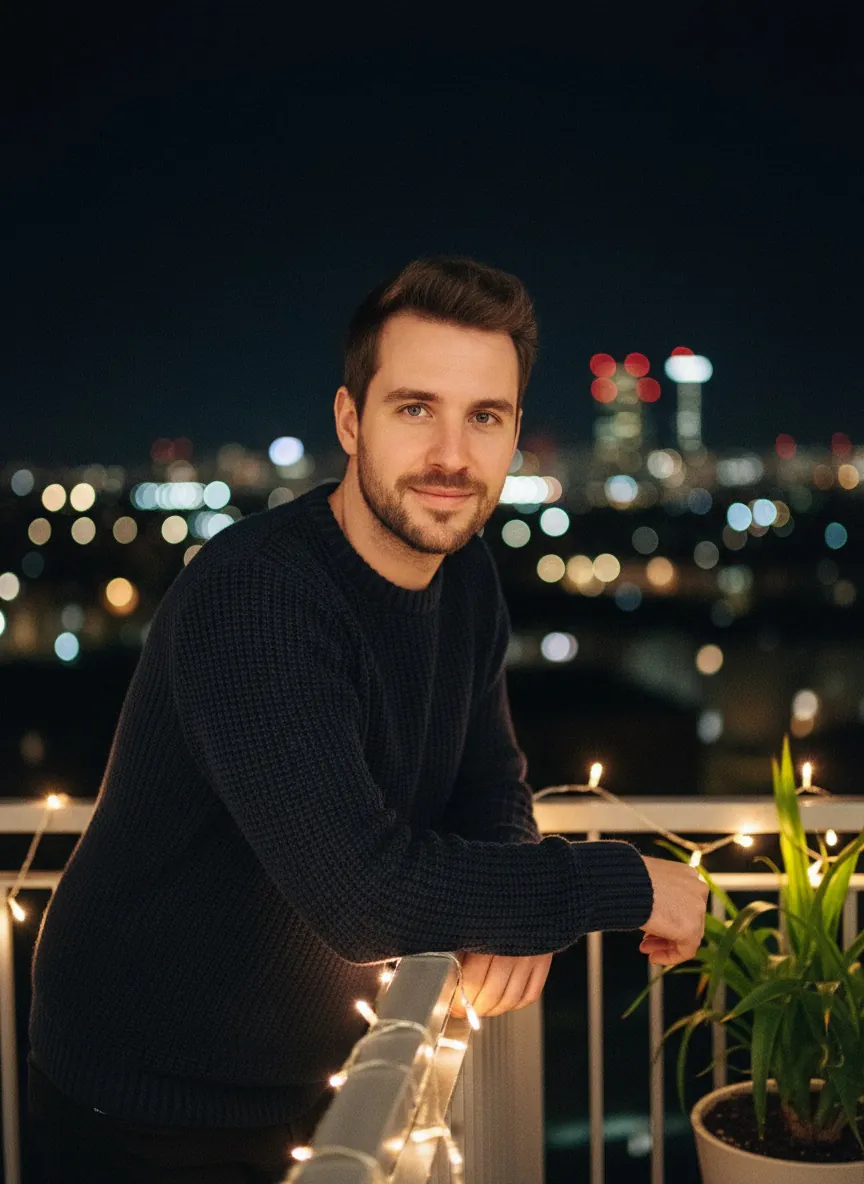
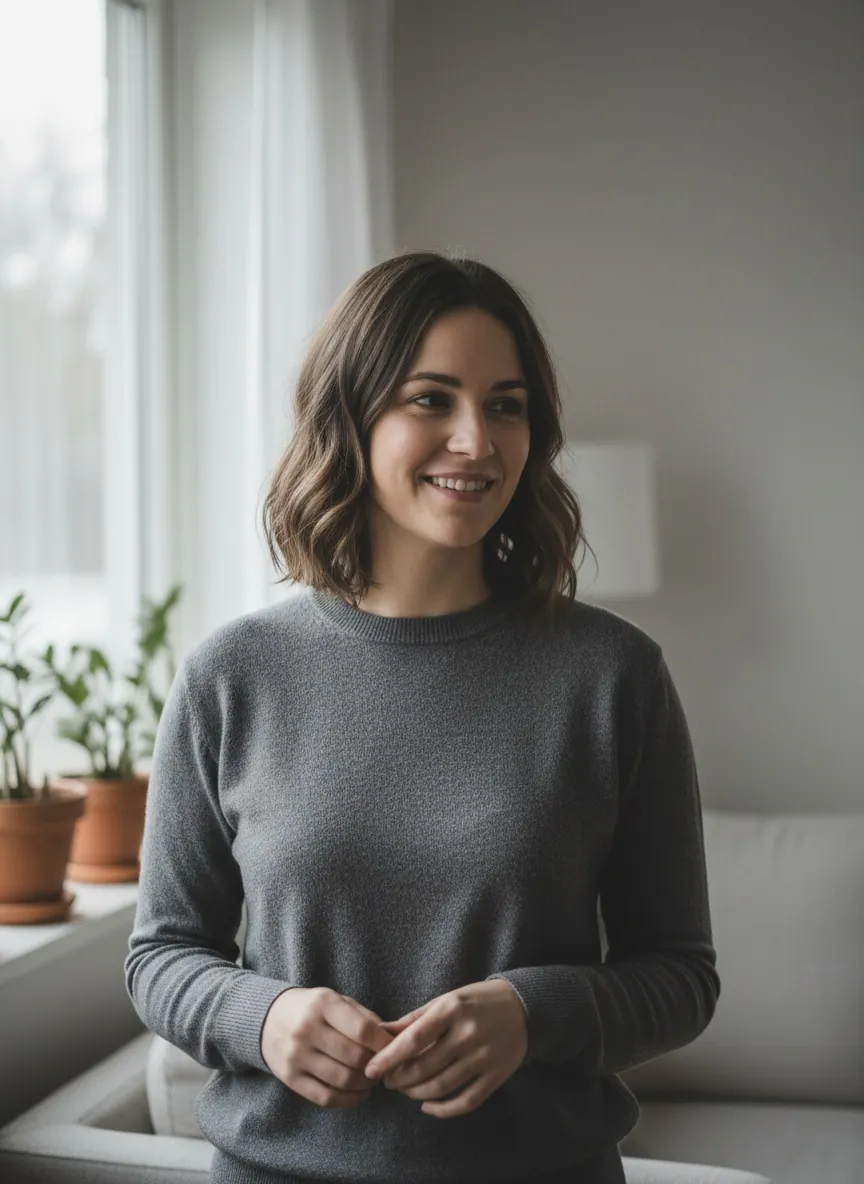 Input photo
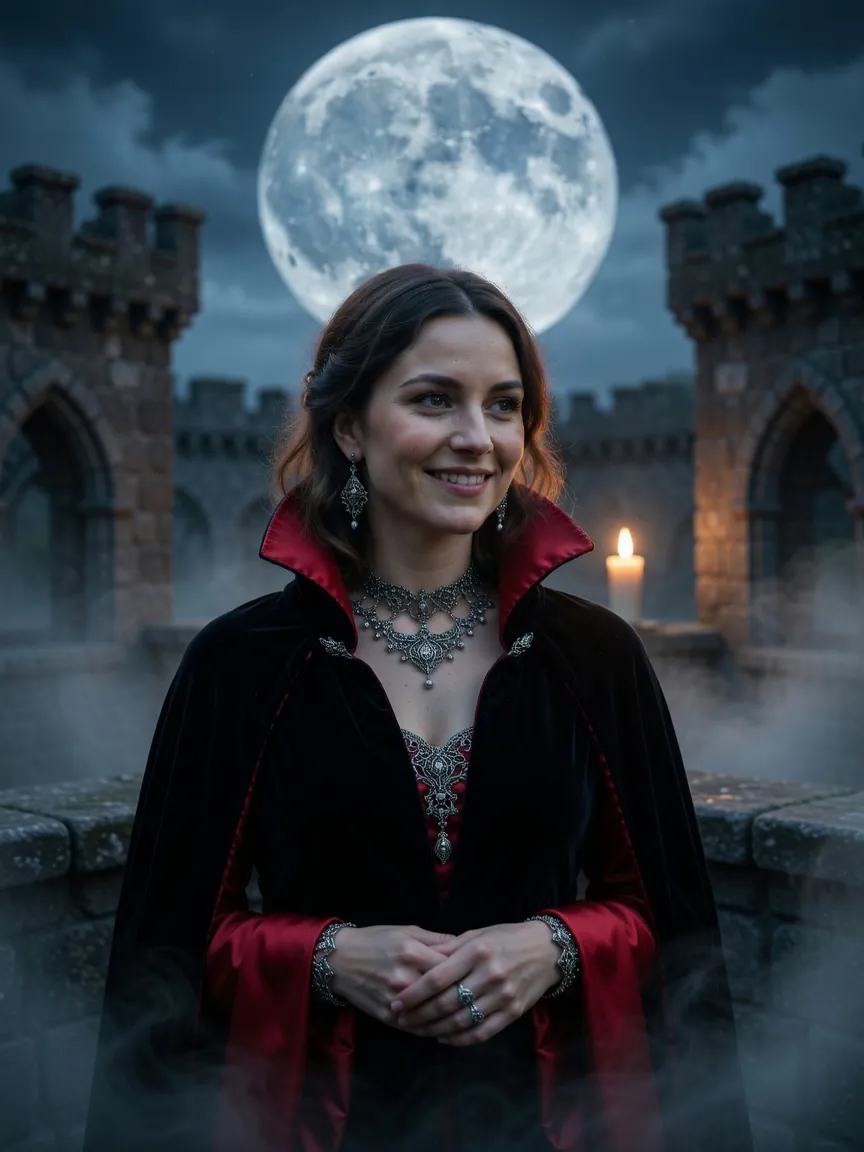 Result
Example 1Made with Grok Imagine in Banana AI
Vampire aristocrat on a moonlit balcony
Turn the person in this photo into a vampire aristocrat standing on a stone castle balcony under a full moon. Keep their face, age, skin tone, and identity unchanged. High-collar black cape with red satin lining, gothic silver jewelry, fog drifting below. Cold blue moonlight with a warm candle glow from behind. Close portrait, cinematic, natural skin texture, elegant rather than menacing, eerie but not graphic.
Cold moonlight plus a warm candle keeps the face readable.
The “elegant rather than menacing” line keeps it portrait-worthy instead of horror-movie.
Grainy 90s Halloween party still
Luma Labs says a Ghostface Y2K portrait was the most shared Halloween AI content of the year. The prompt below is our own original take on a retro masked-party mood. It is not a recreation of Luma’s prompt and uses no specific character. The mask is held beside the face, not over it, a trick borrowed from a Slayedai prompt so your face stays visible.
Input photo
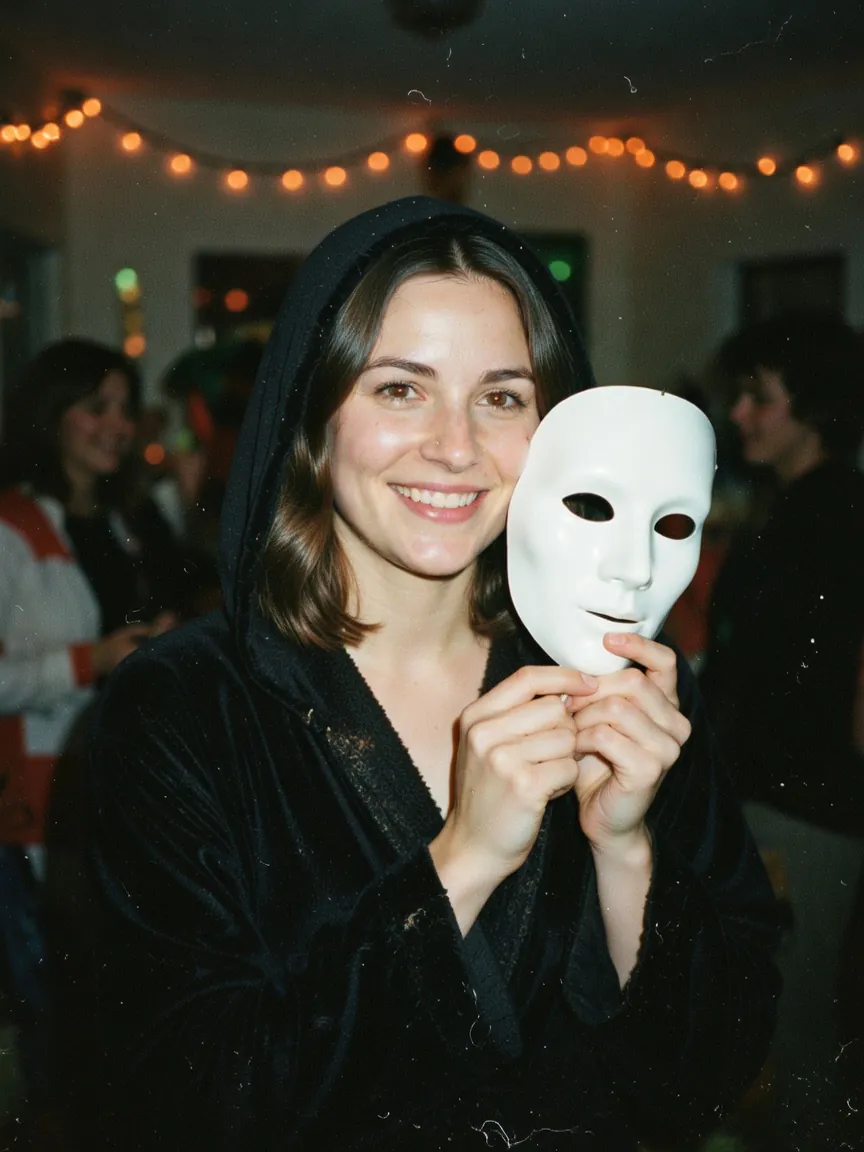 Result
Example 2Made with Grok Imagine in Banana AI
Grainy 90s Halloween party still
Transform this photo into a grainy 1990s film still of the person at a house party on Halloween night. Keep their exact face, age, and skin tone unchanged. They wear a black hooded robe and hold a plain white mask beside their face, not covering it. Blurred costumed guests and orange string lights in the background, harsh on-camera flash, film grain, faded colors. Waist-up framing, eerie but not graphic.
An original take on the retro masked-party mood, with the mask held beside the face.
Witch in a pumpkin patch
This one is cozy rather than scary, which suits profile pictures. The 9:16 framing makes it ready for Stories and Reels covers.
Couples masquerade ball
Masquerade and couples looks show up across the sources, and Makeaiphotos has a section on couples. This example is text-to-image with fictional people, so it won’t use your faces. For your own version, use the edit prompt below with an uploaded photo of both of you.
Couples edit prompt (upload a photo of both of you):
“Turn this photo of two people into a couple at a candlelit masquerade ball in a stone hall. Keep both faces, ages, and skin tones unchanged. The person on the left wears a deep emerald gown and a gold lace eye mask held at the side of the face. The person on the right wears a black velvet jacket and holds a silver half mask in one hand. Warm candlelight, cold blue rim light from tall windows. Three-quarter framing, both faces clearly lit, cinematic, natural skin texture, mysterious and elegant.”
Prompts for men and women
These are our own starting points; swap in the details you like.
Men: “Turn this photo into a vampire count in a stone hall. Keep my exact face, age, and skin tone unchanged. Black velvet frock coat, white cravat, leather gloves. Hard cold side light with a warm candle glow behind. Chest-up portrait, cinematic, natural skin texture, elegant rather than menacing.”
Women: “Turn this photo into a dark fairy in a moonlit forest. Keep my exact face, age, and skin tone unchanged. Layered black and violet tulle wings, a thin silver circlet, a long dark gown. Soft moonlight with a faint lantern glow. Full-body vertical 9:16, editorial fashion photography, eerie but not graphic.”
More variations to try
The sources show plenty of other directions you can drop into the same formula:
- A 1980s retro Halloween portrait or a Halloween prom portrait (Blendnow).
- A party scene with blurred costumed people in the background (Blendnow).
- A normal selfie with a masked figure blurred in a doorway behind you (Makeaiphotos).
- A gothic “Evil Queen” in a dark forest or a Pennywise-style look (BeautyPlus). Since that one names a copyrighted character, describe the costume physically in your own prompt instead.
- A haunted doll bedroom scene in 9:16 (Perfect Corp).
How do you adapt AI Halloween prompts for men, women, and couples?
Keep the formula and swap the costume and framing. Luma has a section on costume variations for different audiences, but the table below is our own approach, not a sourced list.
| Audience | Costume ideas | Setting | Framing tip |
|---|---|---|---|
| Men | Vampire count in a velvet frock coat, plague doctor with leather gloves, hooded rogue | Stone hall, foggy graveyard gate | Chest-up portrait, hard side light |
| Women | Dark fairy with layered tulle wings, gothic witch, Victorian ghost bride | Moonlit forest, candlelit library | Full body in 9:16 to show the outfit |
| Couples | Matching masquerade looks, vampire pair, witch and familiar keeper | Ballroom, pumpkin patch, haunted porch | Three-quarter shot, both faces lit |
For couples, name each person’s outfit separately (“the person on the left wears…”). In our experience this helps the model keep each person’s features distinct, though it isn’t guaranteed.
Do AI Halloween prompts work in Gemini and ChatGPT?
The same structure is a good starting point in Gemini, ChatGPT, and other editors, but results vary. Many of the popular lists target Gemini directly (Perfect Corp, BeautyPlus), and Slayedai writes its prompts for both Gemini and ChatGPT. Each model interprets lighting, faces, and costume detail differently, so plan on a few regenerations.
Why doesn’t my AI Halloween photo look like me?
Usually the prompt is missing a face-lock instruction or the source photo is weak. Slayedai has a whole section on fixes for this. Practical steps:
- Add the face line early. “Keep my exact face, age, and skin tone” near the start of the prompt.
- Use a clear photo. Even front lighting, no sunglasses, face not tiny in the frame.
- Don’t cover the face. Hold masks beside the face, and keep heavy face paint subtle.
- Ask for texture. “Natural skin texture, film-like grain” reduces the plastic look.
- Change one thing at a time. If the face drifts, simplify the costume before rewriting everything.
What are the most common AI Halloween prompt mistakes?
The biggest ones the sources point to:
- Naming copyrighted characters instead of describing the costume (Makeaiphotos).
- Skipping face preservation, which leads to a stranger in your costume.
- Going too graphic. Several prompts in these lists ask for a toned-down mood, and Blendnow favors “atmospheric” over graphic.
- Vague lighting and framing, which produces flat, generic results.
Where can you run these prompts?
Any image editor that accepts a photo plus text will do. Banana AI is one option: upload your selfie, paste a prompt, and pick a model. The web app at app.getbanana.ai offers Nano Banana Standard (Google’s Gemini 2.5 Flash Image), Nano Banana 2, Nano Banana Pro, and Grok Imagine from xAI, and you can add up to 8 reference images, which helps for couples or group shots. Web plans are paid, starting at $19/month with credits.
If you want motion, Luma also lists spooky video ideas, and the Banana AI iOS and Android apps can turn a finished portrait into a short video with image-to-video. Video is only available in the apps, not on the web.
Start with one prompt, check the face, then change the costume or lighting until it looks like you on your best Halloween night.
What we noticed testing these prompts
- Both logged prompts, the vampire aristocrat balcony and the grainy 90s party still, ran on Grok Imagine and succeeded on the first attempt, so the log shows no retries and no rejected results.
- Because nothing was rejected, the log cannot tell us what causes a retry. Any advice about failure modes would go beyond what this log shows.
- Both prompts open with a clear transformation and tell the model to keep the person’s face, age, and skin tone unchanged. The prompt text is cut off in the log, so we cannot confirm the full wording of either one.
- The results match the scene details asked for: the vampire shot shows a black cape with red satin lining, a castle balcony, a full moon, candle and fog, and the party shot shows a dim room with orange string lights. Each is a smiling woman in a costume, one with silver jewelry and one holding a white mask.
Banana AI
Try these prompts in the Banana AI app
Upload a selfie, paste any prompt from this guide and pick Nano Banana, GPT Image or Grok. The app also turns your photos into AI videos and viral effects.
On a computer? Use Banana AI in your browser →
4.8 on the App Store from 180 ratings
FAQ
What is the best formula for AI Halloween photo prompts?
+
Start with "turn this photo into," add a line telling the AI to keep your face, age, and skin tone, then describe the costume, setting, lighting, framing, and mood. Makeaiphotos highlights costume, lighting, framing, and mood as the four core parts. A short mood line like "eerie but not graphic" keeps results clean.
Can I use these AI Halloween prompts in Gemini?
+
The same structure is a good starting point in Gemini, ChatGPT, and other editors, but results vary. Several popular lists target Gemini directly, so you may need to regenerate or adjust lighting and face instructions.
How do I keep my face looking like me in an AI Halloween photoshoot?
+
Use a clear, well-lit selfie and put a face-lock line near the start of the prompt, such as "keep my exact face and facial structure unchanged." Avoid masks or heavy paint covering your face, and ask for natural skin texture.
How do I make an AI Halloween photo for a couple?
+
Upload a photo of both of you, ask the AI to keep both faces unchanged, and describe each person's costume separately. Matching themes like a masquerade ball or vampire pair tend to look cohesive.
Should I use character names like a famous horror villain in my prompt?
+
It's better to describe the costume physically, with colors, fabrics, and props, instead of naming copyrighted characters. Detailed descriptions usually give you more control over the result anyway.