 Banana AI
Photo Converter to Painting
Turn any photo into a painting in seconds.
A photo captures a moment, but a painted version gives it a different kind of permanence. Using Banana AI as your photo converter to painting, you can take any portrait, landscape, or snapshot and render it in a classic or contemporary painting style. Oil paintings bring richness and depth to a face. Watercolor adds softness to outdoor scenes. Impressionist styles turn everyday moments into something that feels timeless. You choose the style, and the AI handles the rest, preserving the details that matter while applying the texture and tone of a real painting.
The image to painting converter works for portraits of people, pets, couples, and families. Upload a single photo and generate several style variations to find the one you want to print. The output files are high resolution, ready for canvas prints, framed prints, or digital sharing. Whether you are creating a gift, decorating a wall, or simply exploring a creative idea, the picture to paint converter gives you a usable result in the time it takes to make a cup of coffee.
Generate Stunning
Photo to Painting Converter
Turn any photo into a painting in seconds.
👥 250,000+ users already creating with Banana AI
On your phone? Get the Banana AI app
How to create Photo to Painting Converter with Banana AI
- 1
Upload your photo
Upload any clear photo of yourself, a friend, a pet, or a landscape.
- 2
Choose a painting style
Select from oil, watercolor, impressionist, acrylic, charcoal, and more.
- 3
Download your painting
Get your painted image in seconds. Print it, frame it, or share it online.
Best input photos: Upload 1-3 clear, well-lit photos of your subject. The clearer the original photo, the more detailed your painted result will be.
Prompt ideas for paintings
Copy a prompt, upload your photo in Banana AI and pick Nano Banana 2. Change the age, outfit or background words to match yourself.
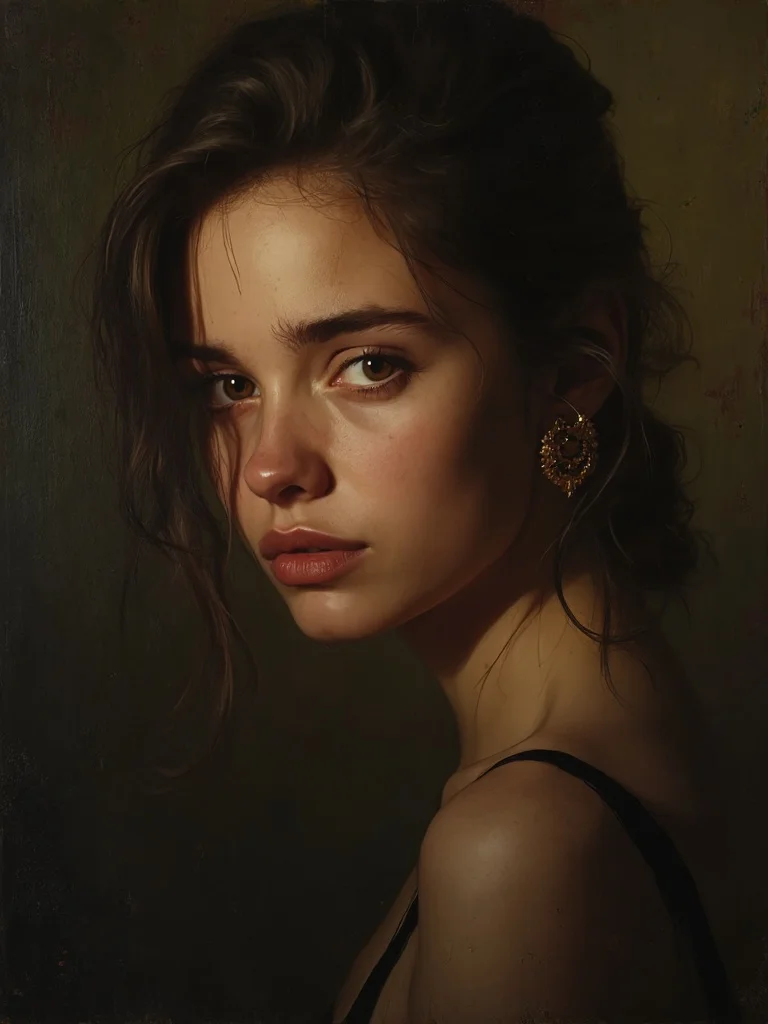
young woman, oil painting portrait, dark warm studio background, serious composed expression, dramatic chiaroscuro lighting, visible brushstroke texture, sharp focus, photorealistic, professional photography
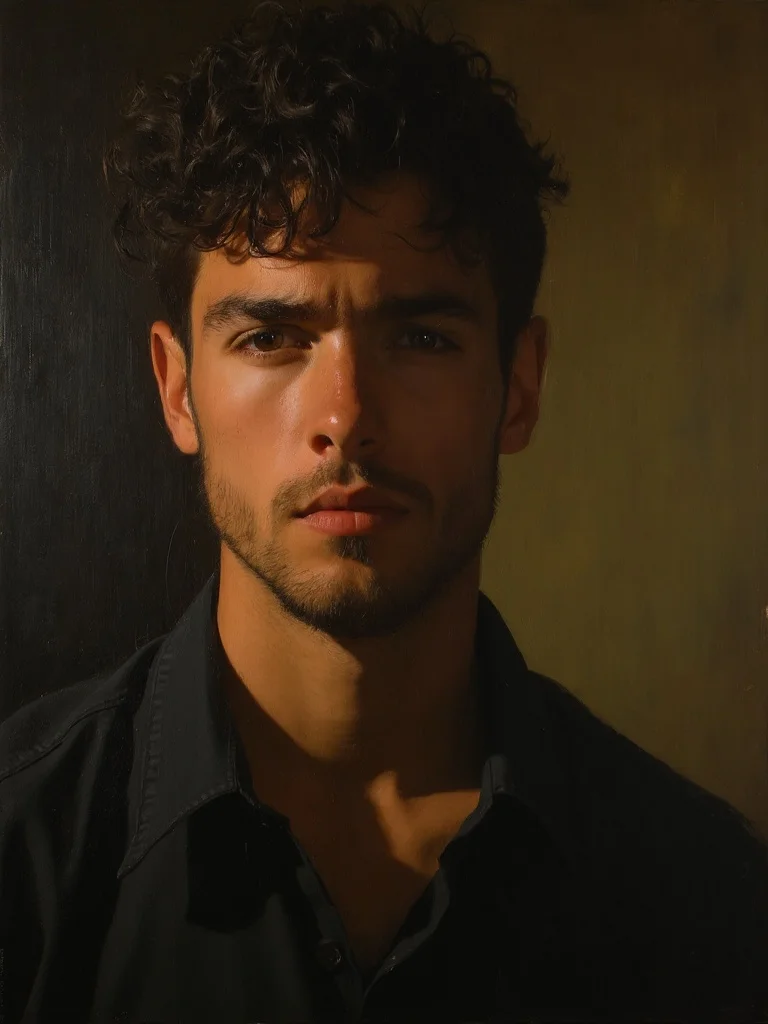
young man, oil painting portrait, dark warm studio background, serious composed expression, dramatic chiaroscuro lighting, visible brushstroke texture, sharp focus, photorealistic, professional photography
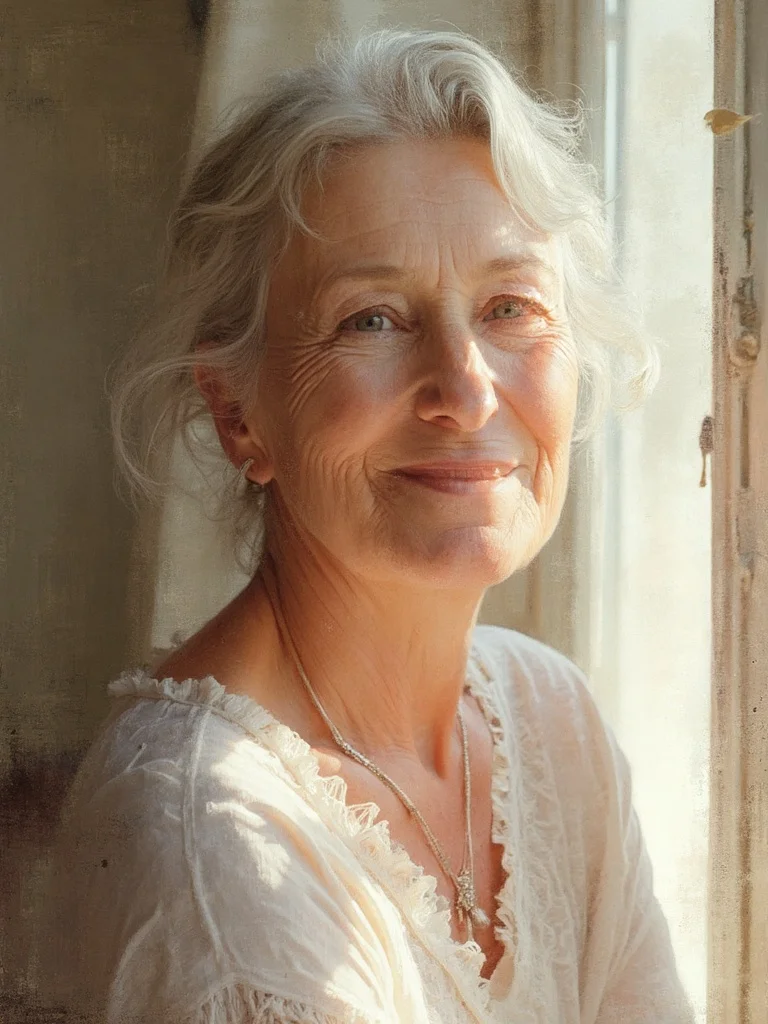
woman in her 50s, watercolor painting style portrait, soft natural window light, gentle relaxed expression, pale wash tones, blurred warm indoor background, sharp focus, photorealistic, professional photography
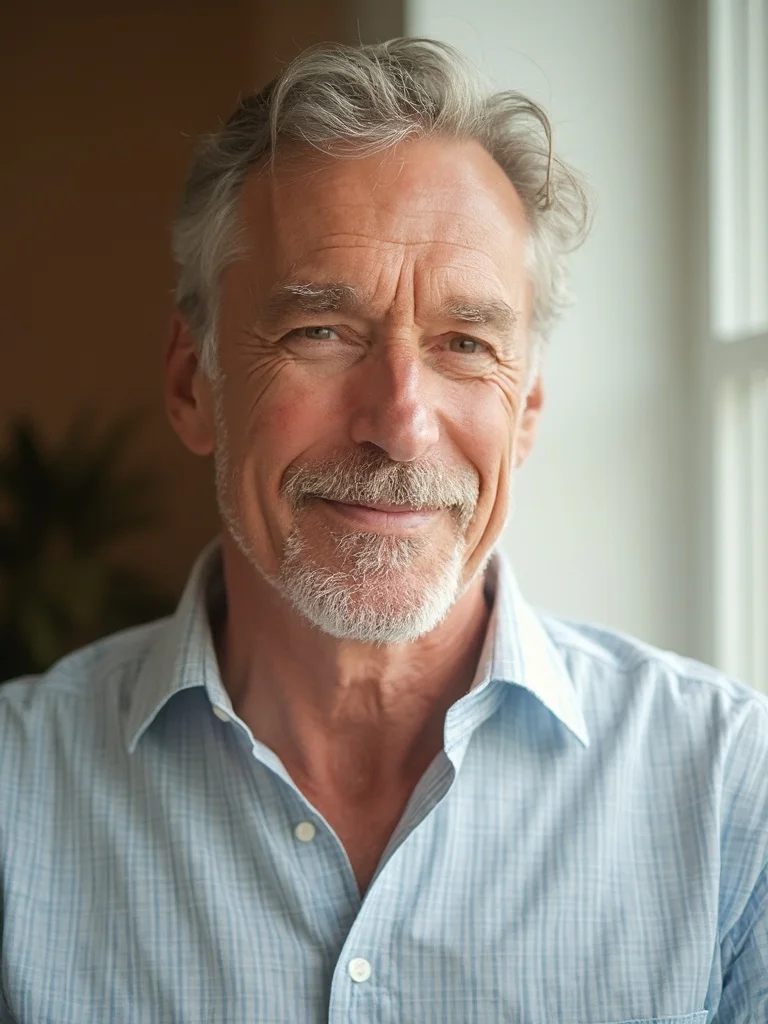
man in his 50s, watercolor painting style portrait, soft natural window light, gentle relaxed expression, pale wash tones, blurred warm indoor background, sharp focus, photorealistic, professional photography
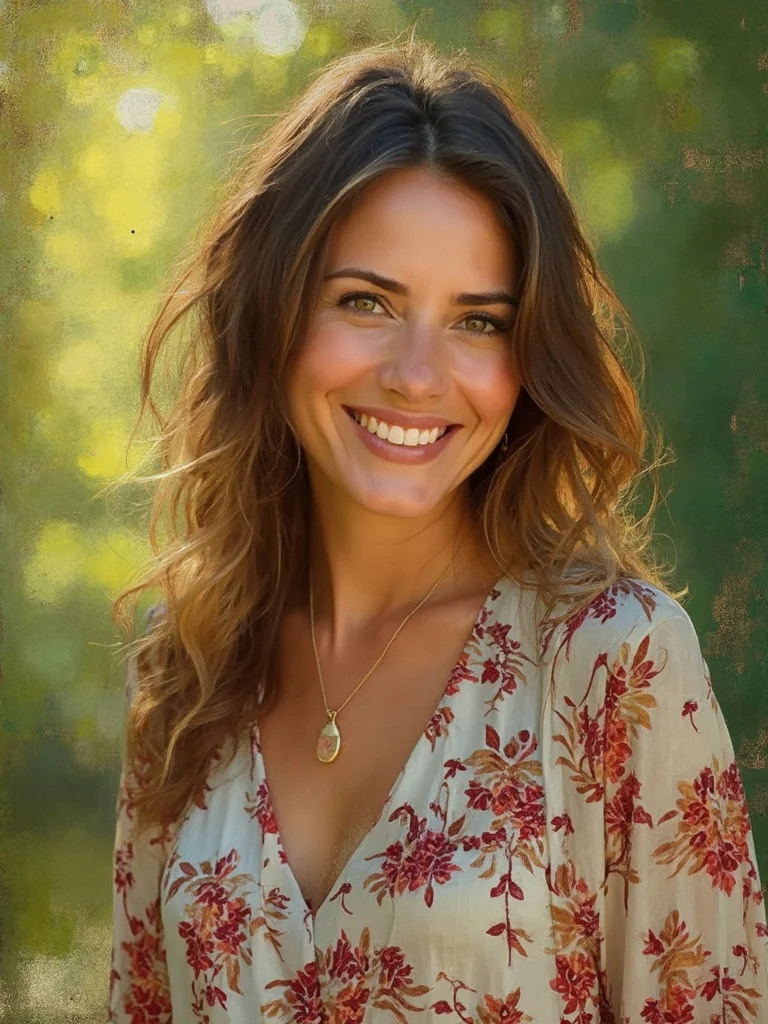
woman in her 30s, impressionist painting conversion, outdoor park setting, dappled golden hour sunlight, blurred green background, textured canvas feel, warm confident smile, floral blouse, sharp focus, photorealistic, professional photography
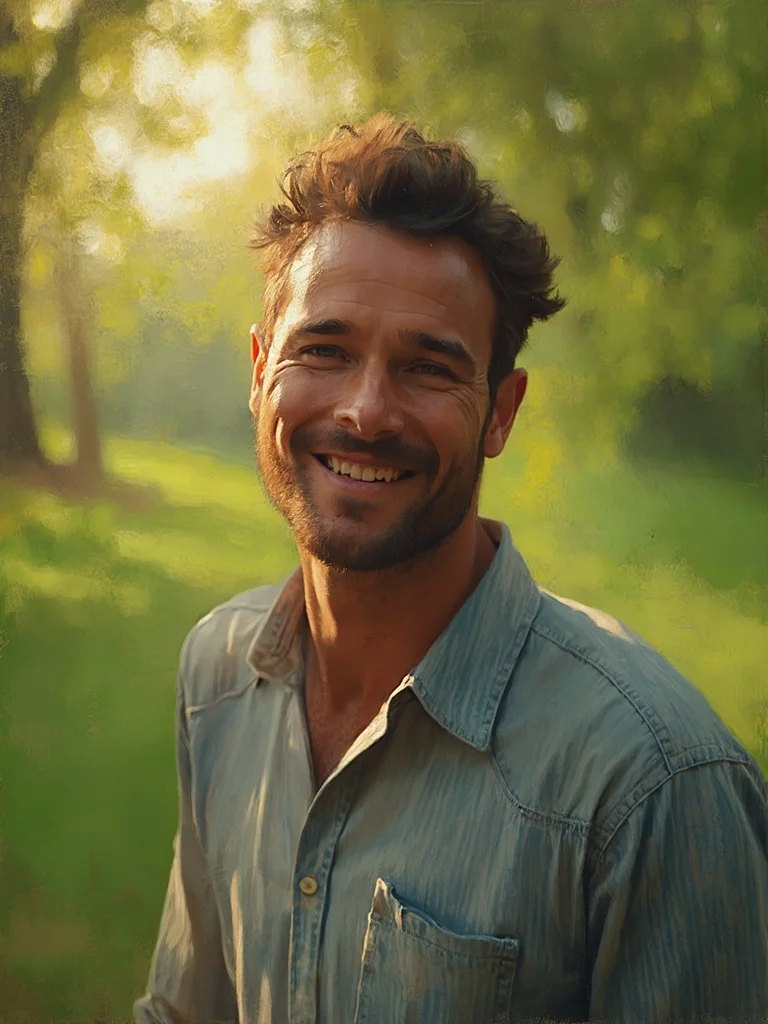
man in his 30s, impressionist painting conversion, outdoor park setting, dappled golden hour sunlight, blurred green background, textured canvas feel, confident smile, sharp focus, photorealistic, professional photography
Multiple painting styles
Convert your photo to oil, watercolor, impressionist, acrylic, or charcoal in one place.
Results in seconds
No waiting days for a commissioned artist. Your painted portrait is ready to download immediately.
Print-quality output
High-resolution files you can print and frame at home or through any print service.
Thoughtful personalized gifts
Turn a favorite photo into a painted portrait to give as a unique, personal gift.
Photo Converter to Painting: questions and answers
What types of photos work best with the image to painting converter? +
Clear, well-lit photos with a visible subject work best. Portraits, outdoor scenes, and group photos all convert well. Blurry or very dark photos may produce less detailed results.
Which painting styles can I choose from? +
You can convert your photo to oil painting, watercolor, impressionist, acrylic, charcoal sketch, and renaissance portrait styles, among others.
Can I use the picture to paint converter for photos of other people or pets? +
Yes. You can upload photos of family members, friends, pets, or landscapes. Just make sure you have the right to use the photo you upload.
Can I print the painted version? +
Yes. All outputs are delivered as high-resolution files suitable for printing and framing.
Do I own the painting I generate? +
Yes. All paid plans include full rights to use, print, and share the images you generate.
Questions about plans, credits or billing? See the Banana AI FAQ or pricing.
Convert Your Photo to a Painting Today
More styles you might like
AI Instagram Photo Generator
Create a week of Instagram content in 10 minutes. Any location, any style, no photographer.
AI Yearbook Photo Generator
See yourself in a classic 90s yearbook photo or any decade. Goes viral every time.
Dark Academia Aesthetic AI Photo Generator
Moody, literary portrait photos in the dark academia aesthetic. No photoshoot required.