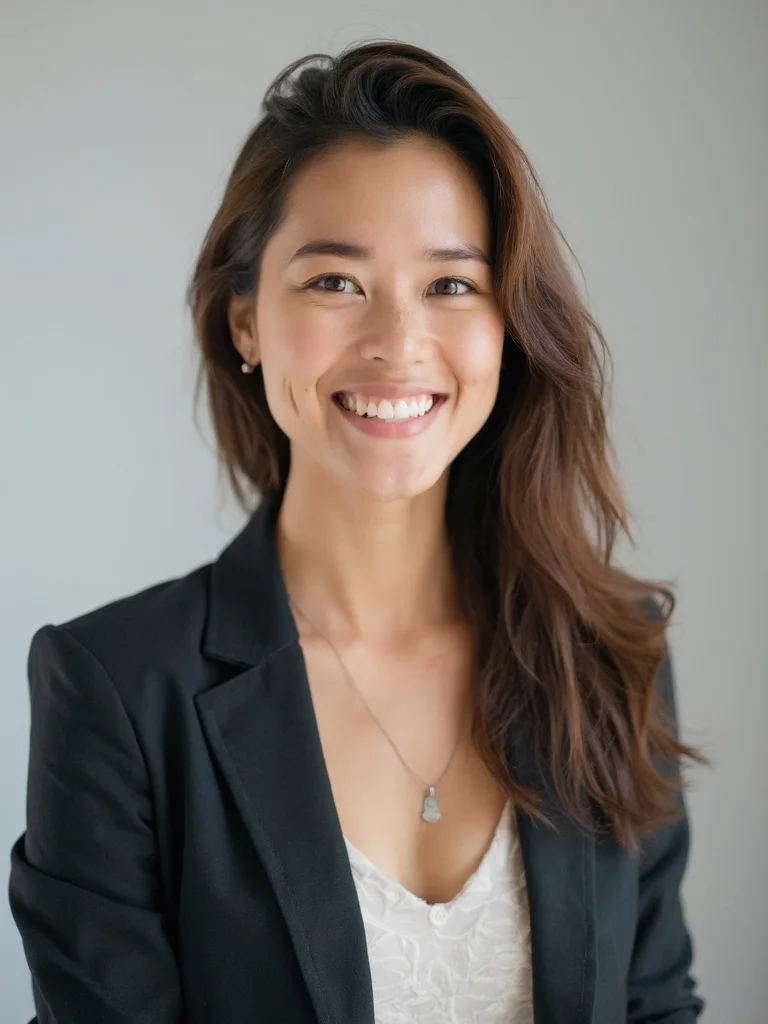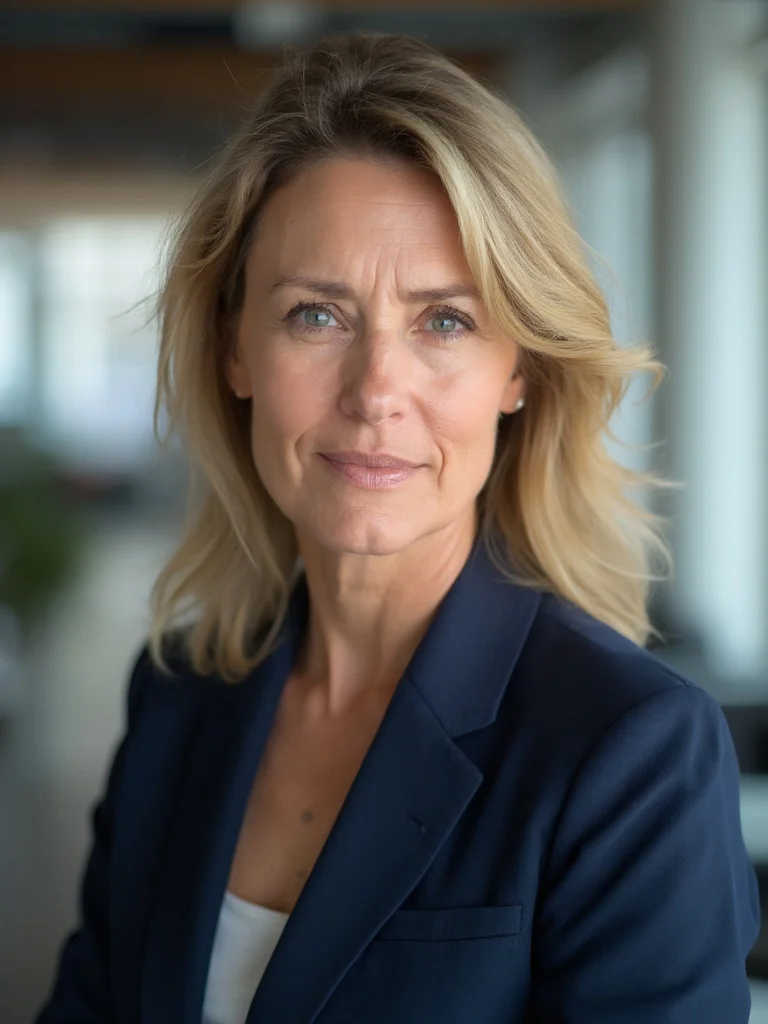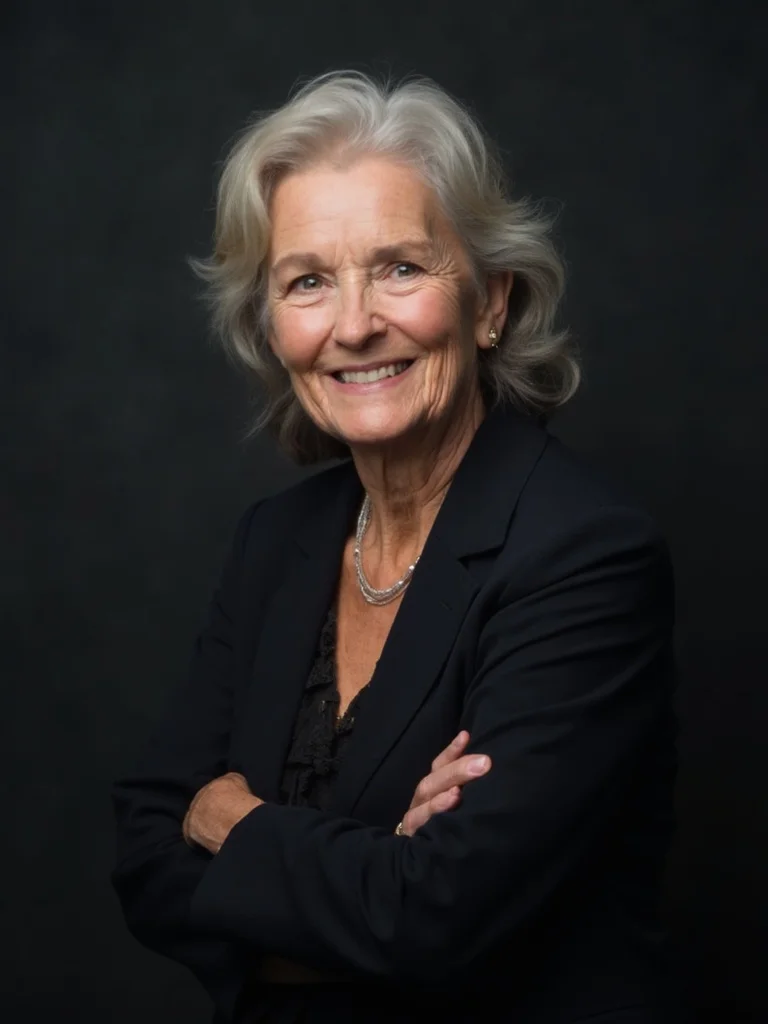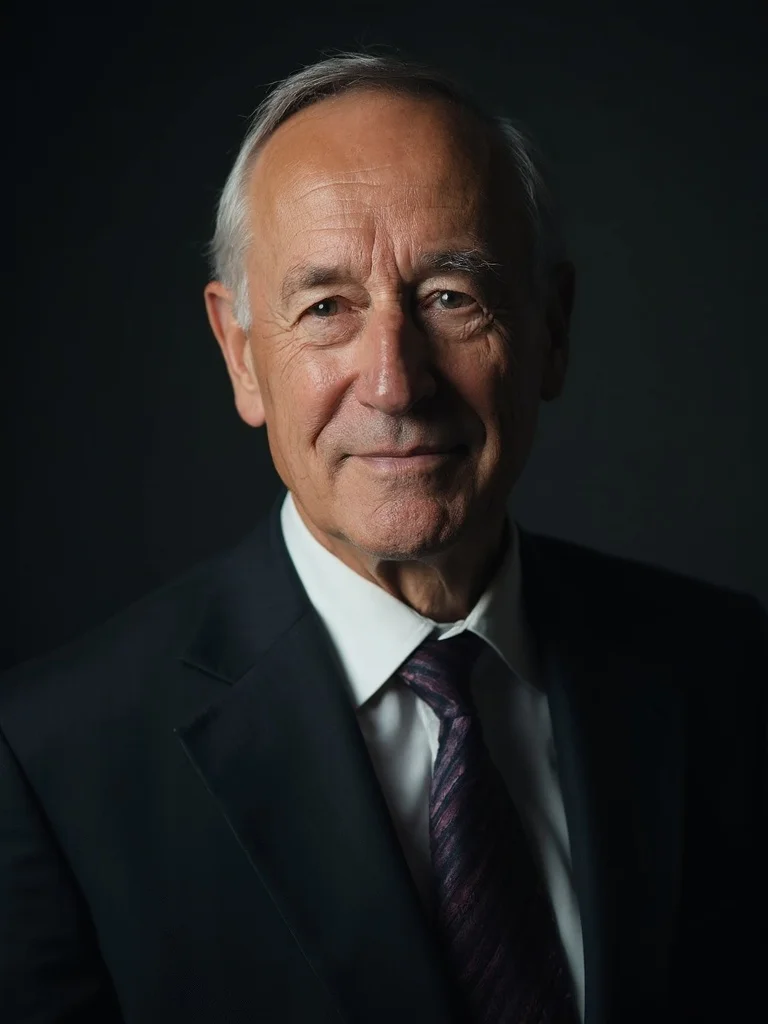
AI Startup Headshot Generator
Professional headshots built for founders, teams, and tech companies.
Startup headshots serve a specific purpose. They need to communicate competence and approachability at the same time, whether they appear on a team page, a conference speaker bio, or a press mention. Booking a photographer for every founder and team member is expensive and logistically difficult, especially when your team is growing or distributed across multiple cities. Most early-stage teams end up with mismatched photos that make the company look less put-together than it actually is.
Banana AI solves this by generating consistent, professional tech company headshots from photos each team member already has. Upload a clear photo, describe the style you want, and download results in seconds. Founders use these for pitch decks, press kits, and speaking engagements. Teams use them to build cohesive company pages without coordinating a single group shoot.
Generate Stunning
AI Startup Headshots
Professional headshots built for founders, teams, and tech companies.
๐ฅ 250,000+ users already creating with Banana AI
Hear from our customers:
"We had a TechCrunch feature lined up and no decent founder photos. I uploaded a selfie and had a press-ready headshot in about four minutes. The journalist used it without question."
"Our team of eight was scattered across three cities. Getting everyone to a photographer was never going to happen. Banana AI gave us a consistent team page that actually looks like we planned it."
"I updated my LinkedIn headshot before a fundraising round and got noticeably more connection requests from investors that week. Small thing, real difference."
Upload your Images and create
stunning AI Photos now


Frequently asked questions
How do I generate AI photos of myself? +
Generating AI photos of yourself on Banana AI takes a few minutes to set up and under 30 seconds per generation after that.
First, sign up at getbanana.ai and choose a plan. All paid plans give you full access to the generator and all AI models.
Next, upload your reference photos. This is the most important step. Go to the generator and upload 10 to 20 photos of yourself. The more variety in your photos, the better your results will be. Use photos from different days, different lighting conditions, different outfits, and different angles. Include close-up face shots as well as photos where your full face is clearly visible. Avoid photos with sunglasses, hats, heavy shadows, or anything that covers your face.
Once your photos are uploaded, write a prompt describing the image you want. You can describe the style, setting, outfit, lighting, and mood. For example: "professional headshot, business attire, neutral background, studio lighting" or "outdoor lifestyle photo, casual clothing, natural light, smiling." The more specific your prompt, the more accurately Banana AI generates what you have in mind.
Select your model. Nano Banana 2 is the recommended default for most users. If you need maximum realism for professional use, choose Nano Banana Pro.
Click generate and your image is ready in under 30 seconds. If a result is not quite right, regenerate. Each generation is unique, so running the same prompt again produces a different result. Most users generate 3 to 5 variations and pick their favourite.
Your generated images are saved in your account and can be downloaded at full resolution at any time.
What type of photos should I upload? +
Upload high-variety photos: close-up selfies, full-body shots in different locations, different angles, clothing, and expressions. The more variety, the better your results. Avoid group photos, sunglasses, hats, or anything that obscures your face.
How long does it take to generate an AI photo? +
Usually around 10โ30 seconds depending on the model you choose. Grok is the fastest, Nano Banana Pro takes a little longer but delivers the highest quality.
How much will my AI photos look like me? +
The likeness of your AI-generated photos depends on two factors: the quality of your input photos and the model you choose. With good inputs and the right model, your AI photos will closely match your face, skin tone, and features.
The most important factor is your input photos. Banana AI learns your face from the photos you upload. If you upload 10 to 20 varied, high-quality photos with your face clearly visible, the likeness will be very close. If you upload only a few similar photos taken in one setting, the AI has less to work with and the likeness will be weaker.
For best results: upload photos from different days and lighting conditions, include both close-up face shots and wider shots, avoid sunglasses, hats, or anything covering your face, and use photos where your face is well-lit and in focus. The more diverse your input set, the more accurately Banana AI captures your specific features.
The model you choose also affects likeness. Nano Banana 2 delivers strong likeness for most users and is the recommended default. Nano Banana Pro produces the most accurate and detailed likeness, capturing fine facial features more precisely. If likeness is your top priority for a professional headshot or dating profile, Nano Banana Pro is worth the extra credits.
Most Banana AI users report that at Nano Banana 2 quality and above, their results are indistinguishable from real photos to friends, colleagues, and people on dating apps. Many real estate agents and LinkedIn users use their Banana AI headshots as their primary professional photo.
If your first few generations do not look quite like you, try uploading more diverse photos or switching to Nano Banana Pro.
Will my AI photos have artifacts? +
Depending on the quality of your uploaded photos and the type of generation, you may occasionally see minor artifacts. Using Nano Banana 2 or Nano Banana Pro significantly reduces these issues. If a result isn't right, just regenerate each generation is unique.
What AI models does Banana AI use? +
Banana AI offers four generation models, each designed for different needs in terms of speed, quality, and credit cost. All four models are available on every paid plan.
Grok (15 credits per image) is the fastest model on Banana AI, developed by xAI. It is ideal when you need quick results or want to test a concept before committing to a higher-quality generation. Grok produces solid results and is the most credit-efficient option on the platform.
Nano Banana Standard (20 credits per image) is Banana AI's entry-level proprietary model. It is fast and affordable, well suited for casual use and high-volume generation where speed matters more than maximum realism.
Nano Banana 2 (40 credits per image) is the default model on Banana AI and our most popular choice. It delivers the best balance of quality and speed, producing results that are indistinguishable from professional photography in most use cases. Nano Banana 2 is the recommended model for headshots, profile photos, dating app photos, and most creative work.
Nano Banana Pro (70 credits per image) is the highest quality model on the platform. It takes slightly longer to generate but produces maximum realism, fine facial detail, and the most accurate likeness to your input photos. Nano Banana Pro is recommended for professional headshots where you need the absolute best result, such as LinkedIn photos, real estate listings, or commercial use.
You can switch between models freely on any generation. The model selector is always visible in the Banana AI generator. If you are unsure which model to use, start with Nano Banana 2. It handles most use cases exceptionally well and is the model most of our 250,000+ users default to.
New models are added to Banana AI regularly. Ultra plan subscribers get early access to new models before they are available on other plans.
How do credits work? +
Credits are Banana AI's currency for image generation. Every time you generate an image, credits are deducted from your balance based on the model you choose.
There are two types of credits on Banana AI: subscription credits and top-up credits.
Subscription credits are included with your monthly or yearly plan. Starter gives you 2,000 credits per month, Pro gives 8,000, and Ultra gives 20,000. These credits reset at the start of each billing period. Any unused subscription credits are forfeited on reset, so it is worth using them before your billing date.
Top-up credits are purchased separately as one-time credit packs. They never expire and never reset. You can buy 2,000 credits for $29.99 or 6,000 credits for $49.99. These stack on top of your subscription credits and carry over month to month indefinitely.
When you generate an image, Banana AI spends your subscription credits first. Top-up credits are only used once your subscription credits run out. This means your purchased credits are always protected until you actually need them.
Each model costs a different number of credits per generation: Grok costs 15 credits and is the fastest option. Nano Banana Standard costs 20 credits. Nano Banana 2, our most popular model, costs 40 credits and delivers the best balance of quality and speed. Nano Banana Pro costs 70 credits and produces the highest quality results for professional use cases.
You can check your current credit balance at any time in your account settings under the Credits tab. The dashboard also shows your balance before each generation so you always know how many credits you have left.
If you run out of credits mid-month, you can purchase a top-up pack without changing your subscription. Top-up credits are available immediately after purchase.
Do credits expire? +
Subscription credits reset each billing period unused credits are forfeited on reset. Top-up credits purchased as one-time packs never expire and roll over indefinitely.
How do I create better photos for Tinder, Hinge & Bumble with AI? +
Upload your existing photos to Banana AI and generate new profile pictures in flattering settings outdoor shots, lifestyle scenes, smart casual outfits. AI-generated photos let you show your best self without expensive photoshoots. Users report significantly more matches after updating their profiles with Banana AI photos.
How do I make AI influencer photos? +
Upload your photos to Banana AI, then use prompts to generate yourself in any style, setting, or outfit editorial fashion, travel photography, fitness content, you name it. You can create a full content calendar of professional-looking photos in minutes, without a photographer or studio.
How do I change the background of my photos with AI? +
In the Banana AI generator, describe the background you want in your prompt for example 'in a modern city street', 'on a tropical beach', or 'in a professional office'. The AI will place you naturally into any environment you describe.
What file formats do you accept? +
We accept JPG, PNG, and WebP files. For best results, upload high-resolution photos (at least 512ร512 pixels).
Can I use Banana AI photos commercially? +
Yes. All paid plans on Banana AI include a full commercial use license. You can use your generated images for business purposes without any additional fees or restrictions.
Commercial use covers a wide range of applications: LinkedIn profile photos and company website headshots, real estate listings on Zillow, Realtor.com, and MLS platforms, business cards, email signatures, and marketing materials, social media profiles and paid advertising, e-commerce product listings and brand imagery, press kits, portfolios, and client presentations.
The commercial license is included from day one on every paid plan: Starter ($19/mo), Pro ($49/mo), and Ultra ($99/mo). There is no separate licensing tier or additional fee for commercial use.
One important note: the commercial license covers the AI-generated output images. You retain responsibility for ensuring your input photos are photos you have the right to use. If you upload photos of yourself, you own those. If you upload photos of others, you need their consent.
Banana AI does not claim ownership over your generated images. What you create is yours to use however you like within the terms of service.
For professional photography replacements: real estate agents regularly use Banana AI headshots on MLS listings, business cards, and Zillow profiles. LinkedIn users use generated headshots for professional profiles and company pages. All of these are covered under the standard commercial license on any paid plan.
If you have a specific commercial use case you are not sure about, contact support@getbanana.ai and we will clarify quickly.
How do I create an account? +
Go to getbanana.ai and click 'Start Creating'. Sign up with your email or continue with Google, it only takes a few seconds. Then choose a plan to start generating images.
Is there a Banana AI mobile app? +
Yes Banana AI is available as a native app on iOS (App Store) and Android (Google Play). The web app at getbanana.ai also works great on mobile browsers.
How do I upgrade or downgrade my plan? +
Go to your account settings and select Billing. From there you can switch between Starter, Pro, and Ultra plans. Upgrades take effect immediately; downgrades apply at the start of your next billing period.
How do I cancel my subscription? +
Go to your account settings, select Billing, and choose Cancel subscription. You'll keep access to your plan and credits until the end of your current billing period. You won't be charged again after cancellation.
I cancelled Banana AI but am still being charged what do I do? +
If you're still seeing charges after cancelling, contact us at support@getbanana.ai with your account email and we'll resolve it immediately. Make sure you cancelled through your account settings cancelling through the App Store or Google Play is a separate process if you subscribed there.
Can I get a refund? +
We offer refunds within 7 days of purchase if you haven't used any credits. Once credits have been consumed, purchases are non-refundable. Contact support@getbanana.ai with your account email and order details and we'll get back to you quickly.
Where is my refund? +
Refunds typically appear on your statement within 5โ10 business days depending on your bank or card provider. If it's been longer than 10 days, contact support@getbanana.ai with your order details and we'll look into it.
I accidentally signed up for the yearly plan but want monthly what do I do? +
Contact us at support@getbanana.ai within 7 days of purchase and we'll switch you to the monthly plan and refund the difference, as long as you haven't used significant credits.
What payment methods do you accept? +
We accept all major credit and debit cards including Visa, MasterCard, and American Express, processed securely via Stripe. Apple Pay and Google Pay are also supported on supported devices.
My payment card is not accepted what do I do? +
First, make sure your card details are entered correctly, including the billing address. Some cards (prepaid cards, certain international cards) may not be supported. If the issue persists, try a different card or contact your bank. You can also reach out to support@getbanana.ai for help.
How do I get a receipt or invoice for my payment? +
A receipt is automatically sent to your account email after every purchase. For a formal invoice with your company name, address, or tax ID, contact support@getbanana.ai with your order details and the billing information you need.
How do I change my account email? +
Go to your account settings and select Profile. From there you can update your email address. You'll receive a confirmation email to verify the new address before the change takes effect.
Can I delete my data? +
Yes you can delete your account and all associated data at any time from your account settings. This will permanently remove your profile, uploaded photos, generated images, and billing history. This action is irreversible.
How does Banana AI's AI photo generator work? +
Banana AI uses state-of-the-art image generation models (including Flux and Grok) to generate photorealistic images based on text prompts and your uploaded reference photos. You upload photos of yourself, describe what you want, and the AI generates a unique image matching your description all in under 30 seconds.
Is Banana AI available on all devices? +
Yes Banana AI works in any modern web browser on desktop, tablet, and mobile at getbanana.ai. We also have native iOS and Android apps available in the App Store and Google Play.
How do I report a bug or request a feature? +
Reach out to us at support@getbanana.ai. We read every message and actively use feedback to improve the app. You can also use the feedback button inside the app.
Pricing
Choose the perfect plan for your needs. Save 50% with yearly billing pay 6 months, get 12 months of credits.
Starter
billed monthly
Get started with AI image generation and explore all models.
- 2,000 credits / month
- All AI models
- Text to image
- Image to image
- Up to 4K resolution
- Email support
Pro
billed monthly
More credits, priority processing, and faster results for serious creators.
- 8,000 credits / month
- All AI models
- Text to image
- Image to image
- Up to 4K resolution
- Priority support
Ultra
billed monthly
Maximum credits, fastest results, and early access to new models.
- 20,000 credits / month
- All AI models
- Text to image
- Image to image
- Up to 4K resolution
- Priority support
- Early access to new models
2000 Credits
one-time purchase
A solid top-up for occasional use or to try out premium models.
- 2000 credits, never expire
- All AI models
- Use anytime
- Stacks with subscription credits
6000 Credits
one-time purchase
Best value for power users who need extra credits on demand.
- 6000 credits, never expire
- All AI models
- Use anytime
- Stacks with subscription credits
Billed via RevenueCat ยท Cancel anytime