 Banana AI
AI Noir Filter Photos
Cinematic noir portraits from your everyday photos.
The noir filter look borrows from classic cinema, where shadows do as much work as light. High contrast, deep blacks, and dramatic directional lighting create portraits with a mood that color photography rarely achieves on its own. This style suits creative portfolios, artistic social profiles, acting headshots, and anyone who wants a portrait that feels intentional rather than casual.
Banana AI generates noir filter photos from your uploaded images without requiring any photo editing knowledge. Describe the setting you want, whether a moody alley, a dark studio with venetian blind shadows, or a rain-soaked street scene, and the AI builds the entire image around your likeness. Download your results in minutes and use them wherever you need a striking, atmospheric portrait.
Generate Stunning
AI Noir Filter Photos
Cinematic noir portraits from your everyday photos.
👥 250,000+ users already creating with Banana AI
On your phone? Get the Banana AI app
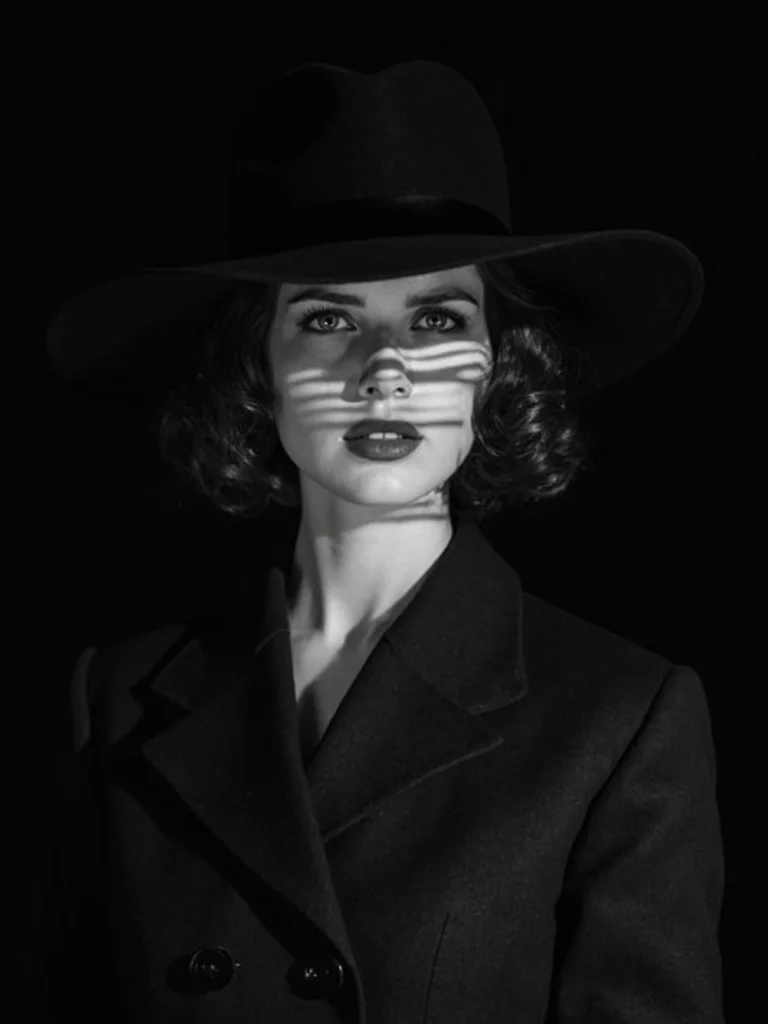
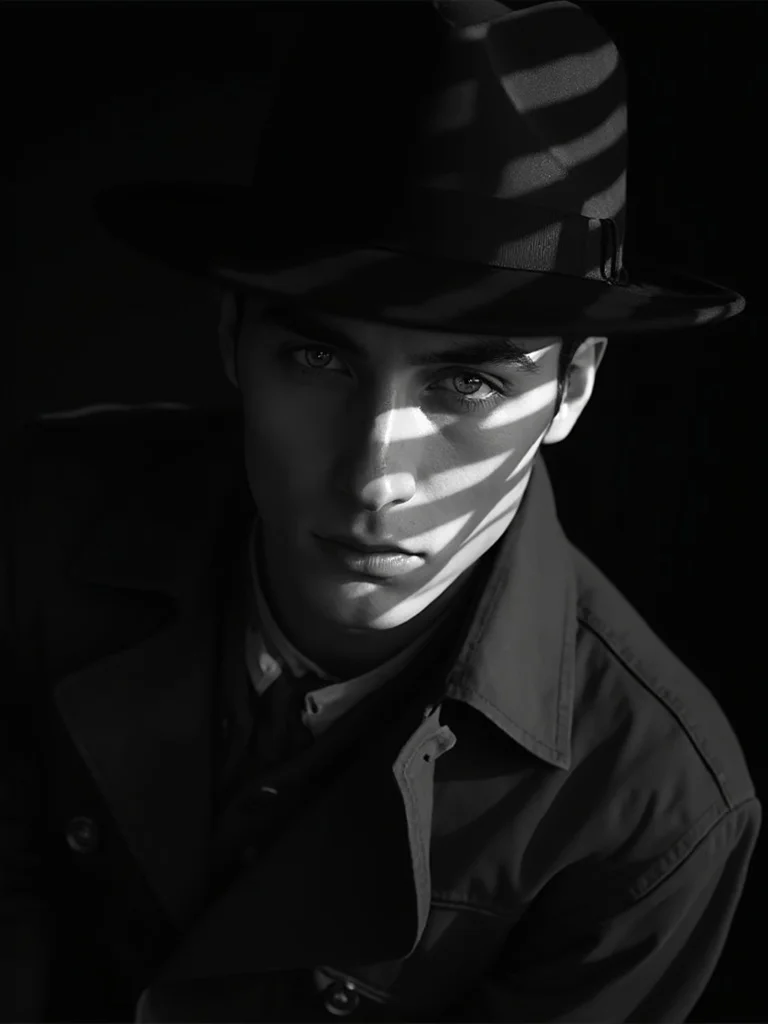
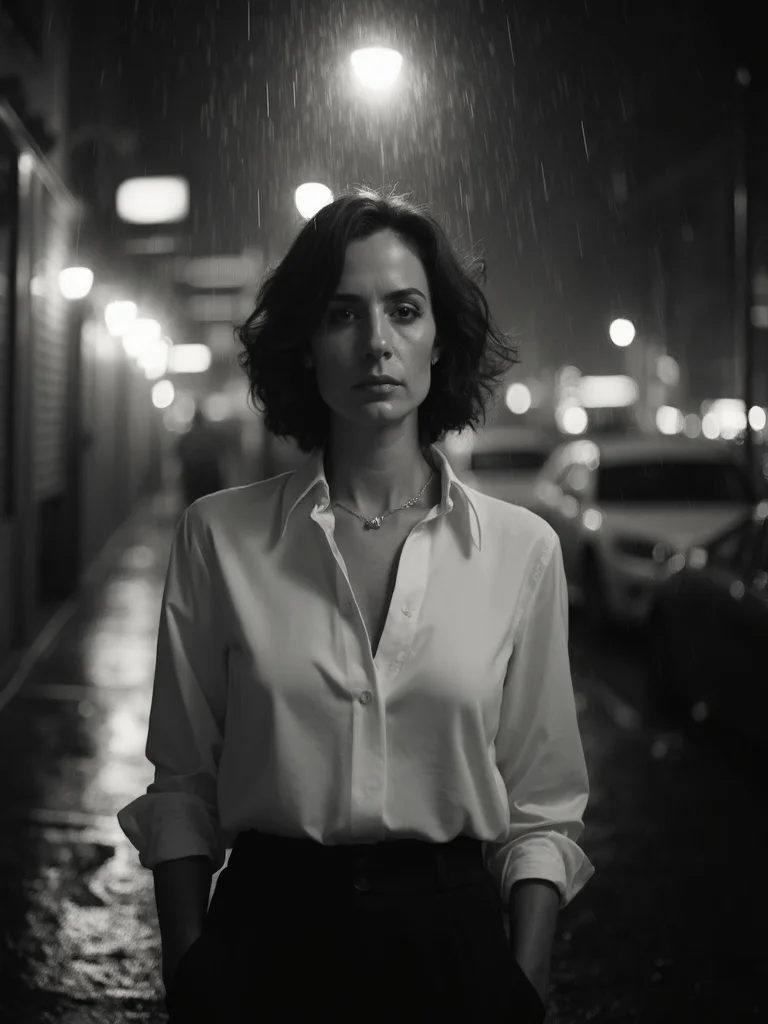
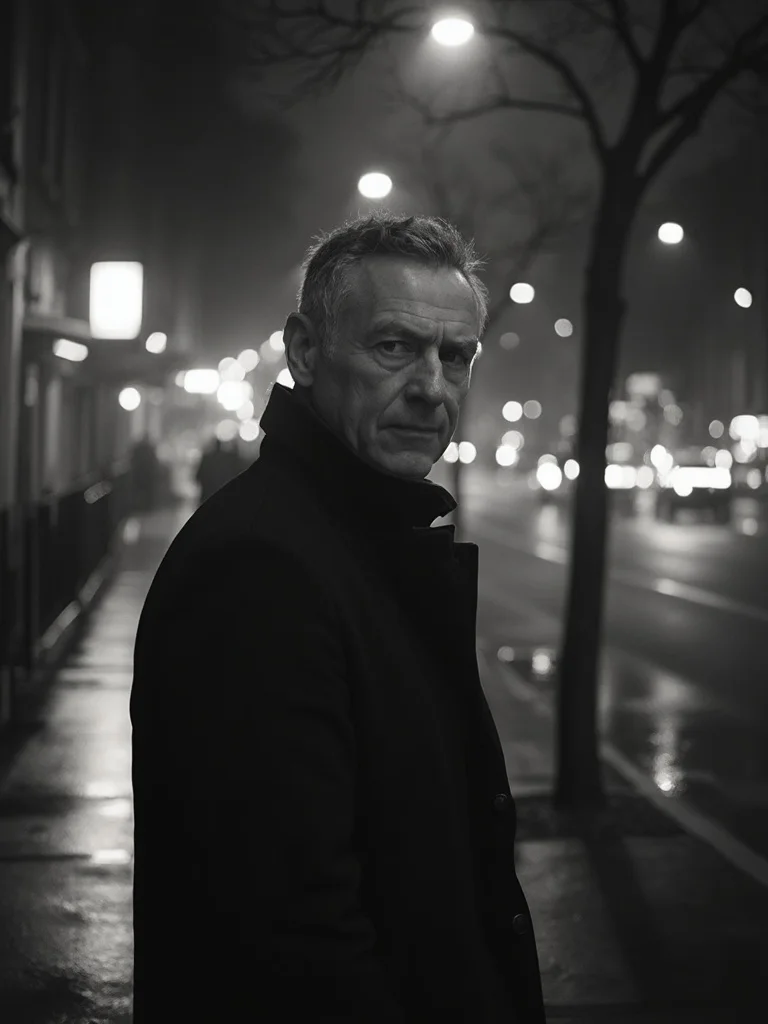
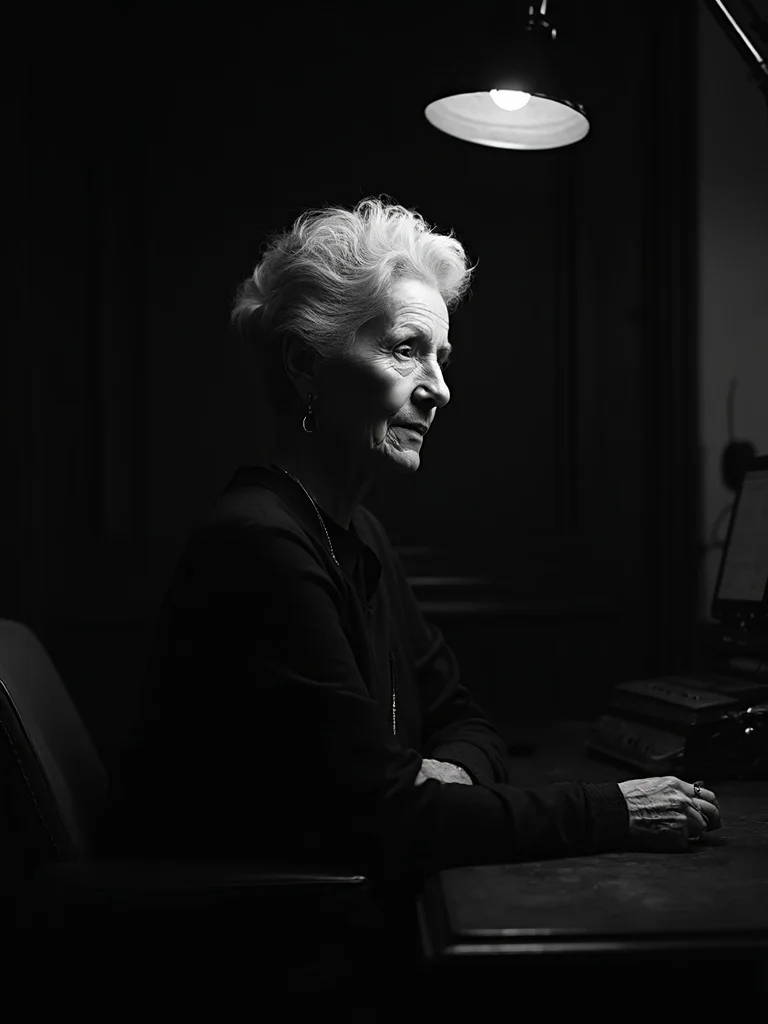
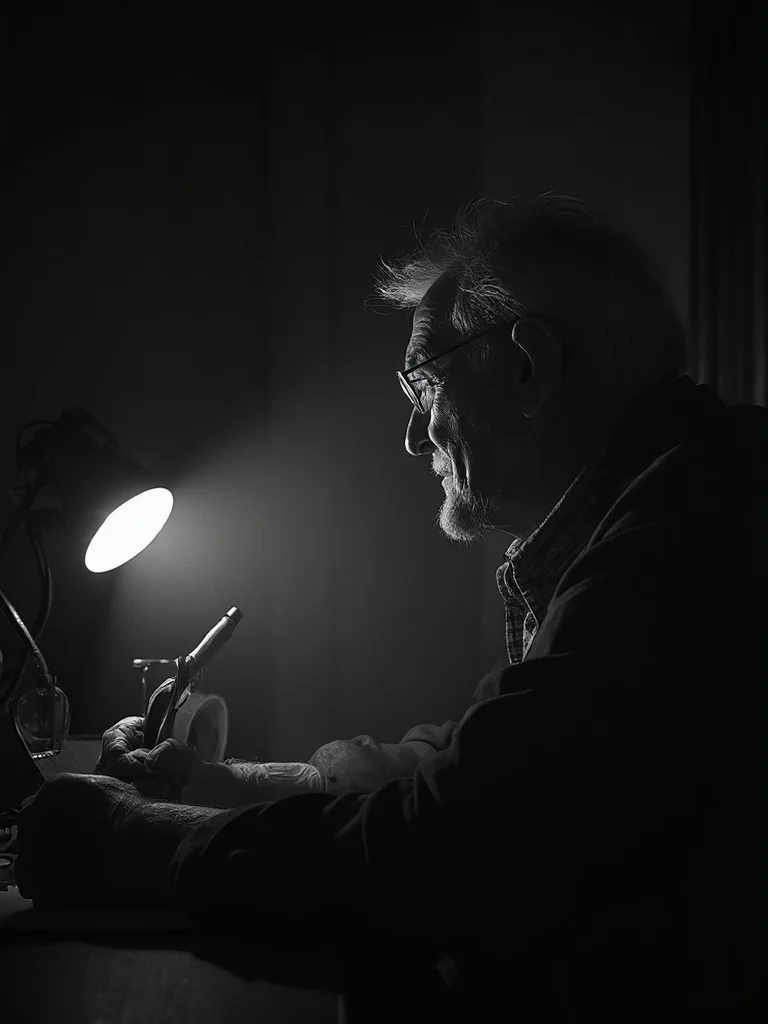
How to create AI Noir Filter Photos with Banana AI
- 1
Upload your photo
Upload a clear photo of yourself. Any decent selfie or portrait photo works.
- 2
Choose your noir style
Pick from classic film noir, moody street noir, or dark studio looks. Describe your preferred mood and setting.
- 3
Download your portrait
Get your noir filter photos instantly. Use them for profile photos, social media, or print.
Best input photos: Upload 1-3 clear photos of your face with good visibility. Natural or indoor light both work well.
Prompt ideas for portraits
Copy a prompt, upload your photo in Banana AI and pick Nano Banana 2. Change the age, outfit or background words to match yourself.
young woman in her 20s, classic film noir portrait, wearing a wide-brim hat and tailored coat, venetian blind shadow pattern across face, deep black studio background, intense brooding expression, high contrast black and white, sharp focus, photorealistic, professional photography
young man in his 20s, classic film noir portrait, wearing a fedora and trench coat, venetian blind shadow pattern across face, deep black studio background, intense brooding expression, high contrast black and white, sharp focus, photorealistic, professional photography
woman in her 40s, noir filter street portrait, standing under a glowing streetlamp on a rain-slicked urban sidewalk, blurred dark city background, elegant blouse, serious composed expression, moody low-key black and white lighting, sharp focus, photorealistic, professional photography
man in his 40s, noir filter street portrait, standing under a glowing streetlamp on a rain-slicked urban sidewalk, blurred dark city background, collar turned up, serious composed expression, moody low-key black and white lighting, sharp focus, photorealistic, professional photography
older woman in her 60s, dark studio noir portrait, seated at a desk with a single harsh desk lamp, deep shadows on one side of face, distinguished graceful appearance, cinematic atmosphere, high contrast black and white, sharp focus, photorealistic, professional photography
older man in his 60s, dark studio noir portrait, seated at a desk with a single harsh desk lamp, deep shadows on one side of face, distinguished weathered appearance, cigarette smoke atmosphere, cinematic black and white, sharp focus, photorealistic, professional photography
Cinematic atmosphere
The noir filter adds deep shadows, high contrast, and a filmic quality that regular photo editing apps cannot replicate.
Done in seconds
No Lightroom presets or Photoshop skills needed. Upload your photo and download the noir result immediately.
Multiple variations
Generate several noir filter styles in one session, from classic 1940s film noir to modern dark editorial looks.
Ready to post
Noir portraits work well for social profiles, creative portfolios, dating apps, and personal branding.
AI Noir Filter Photos: questions and answers
What kind of photo should I upload for the best noir filter result? +
A clear, well-lit photo where your face is visible gives the best results. Even simple selfies work well since the AI rebuilds the lighting with a dramatic noir filter during generation.
Can I choose between different noir styles? +
Yes. You can describe the exact noir look you want, such as a classic 1940s detective style, a moody urban street scene, or a studio-lit dark portrait. Each prompt you write shapes the final result.
Are the noir photos in black and white only? +
Classic noir filter outputs are black and white with deep shadow tones, but you can also prompt for desaturated color-noir or teal-and-shadow styles if you want a slightly different take.
Can I use these photos for commercial purposes? +
Yes. All paid plans include full commercial usage rights, so you can use your noir photos on websites, portfolios, social media, and marketing materials.
Questions about plans, credits or billing? See the Banana AI FAQ or pricing.
Turn Your Photos Into Cinematic Noir Portraits
More styles you might like
AI Dating App Photo Generator
Get dating app photos that get you 3x more matches. No photoshoot needed.
AI Actor Headshot Generator
Studio-quality actor headshots without the photographer.
Dark Academia Aesthetic AI Photo Generator
Moody, literary portrait photos in the dark academia aesthetic. No photoshoot required.